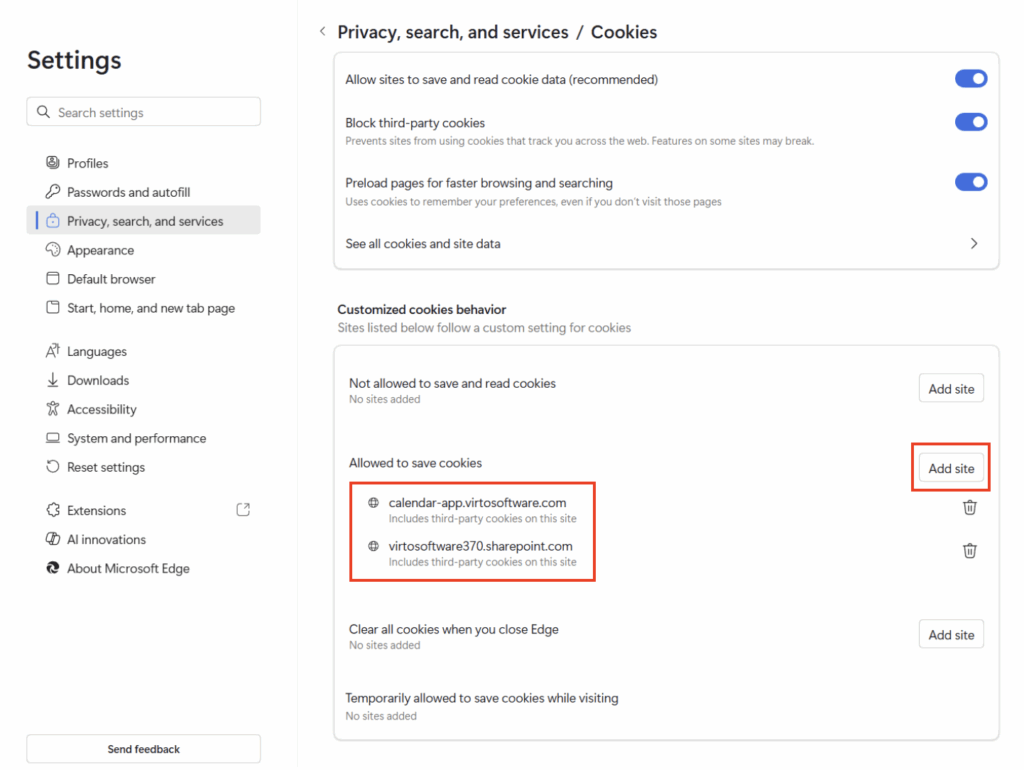
For the Virto Calendar app to work correctly in the browser and within SharePoint, you need to either:
- Allow all cookies in your browser settings, or
- Manually add your tenant domain (for example,
yourcompany.sharepoint.com) and the Virto Calendar app URL https://calendar-app.virtosoftware.com to the list of sites allowed to use third-party cookies.
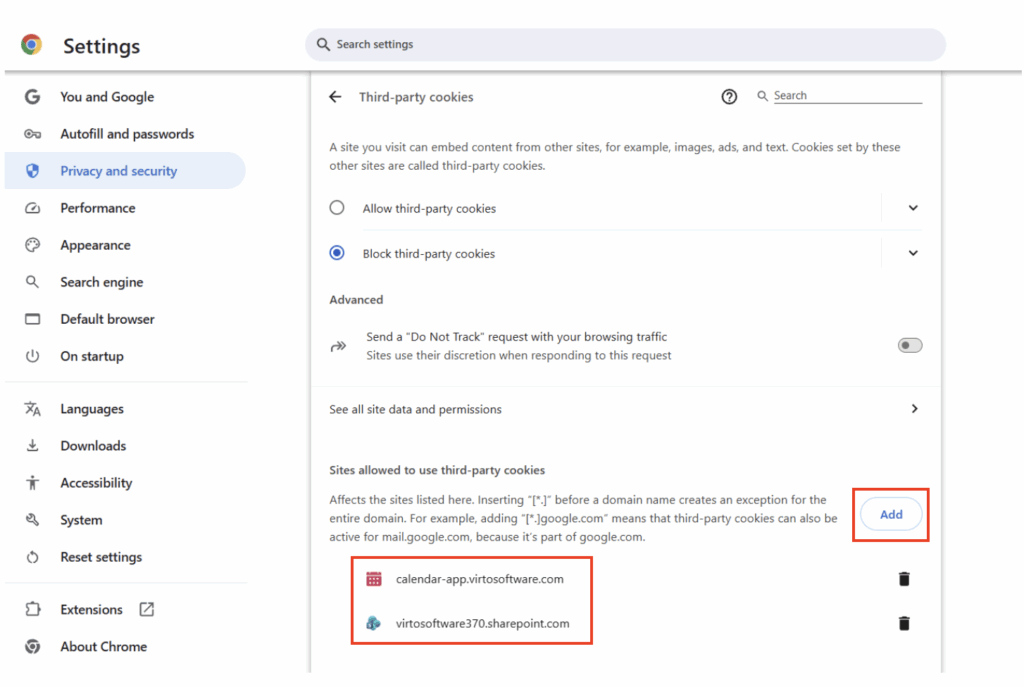
To access cookie settings for allowing all cookies or adding specific sites in the recommended browsers:
Google Chrome
Paste chrome://settings/cookies directly into your browser’s address bar and press Enter. This opens the Cookies and site data page where you can toggle “Allow third-party cookies” or add sites under “Sites allowed to use third-party cookies.”
Microsoft Edge
Paste edge://settings/content/cookies (preferred direct method) or edge://settings/privacy into your browser’s address bar and press Enter. Navigate to Cookies > Allowed to save cookies, then select “Add” to include your tenant (e.g., yourcompany.sharepoint.com) and https://calendar-app.virtosoftware.com.