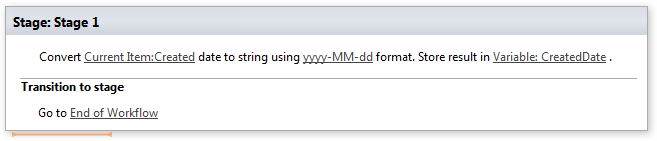
Convert date to a string
Note: Virto Workflows for Office 365 is no longer sold. The add-in and the SharePoint 2013 workflows it adds actions to stopped working in SharePoint Online on April 2, 2026, when Microsoft retired SharePoint Add-ins and SharePoint 2013 workflows. This documentation is kept for reference.
This activity converts date to a string in custom format and stores the result.
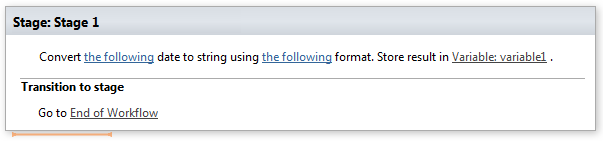
Parameters
Input parameters
| Parameter | Description | Example |
|---|---|---|
| The following date | DateTime value which you want to convert to string. | CurrentItem:Created 12/12/2016 |
| The following format (optional) | .Net format string which you want to use for converting dare to string. See MSDN online for custom date time formats. | M/d/yyyy M/d/yy MM/dd/yy MM/dd/yyyy yy/MM/dd yyyy-MM-dddd-MMM-yy |
| Variable | retVal (set by this activity). Contains result of DateTime conversion to string. |
Example