Contact us

Charts

The charts in Virto Kanban Board allow you to analyze your tasks as needed. Click the charts icon in the top right corner to open the chart view.
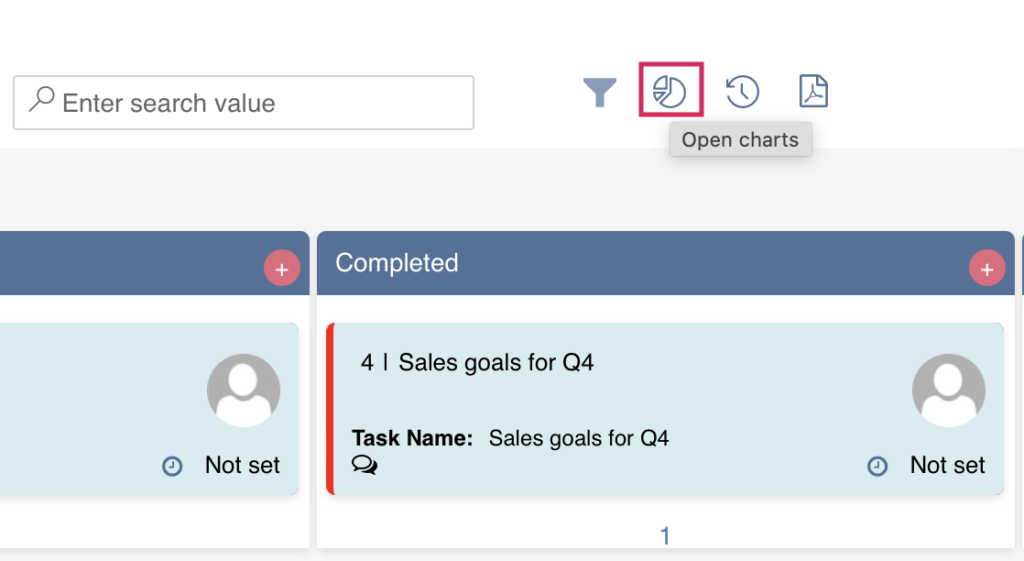
Charts icon in the top right corner of the Virto Kanban Board opening the chart view
Open charts

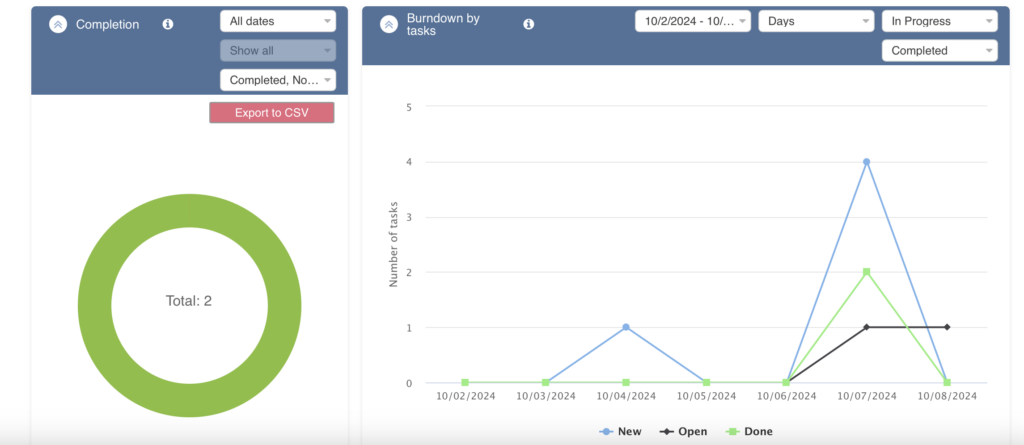
Here, you can view task statistics displayed in five graphs: “Status,” “Assigned To,” “Completion,” “Burndown,” and “Lead Time.”
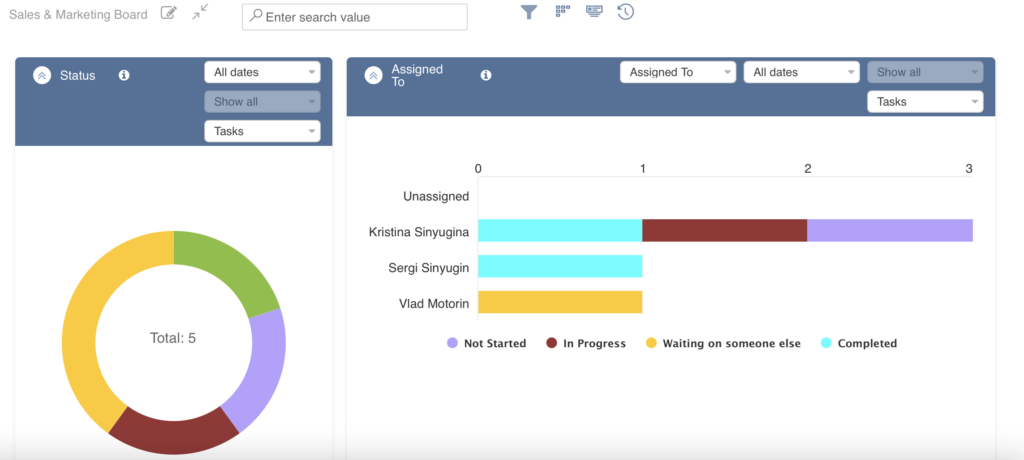
Virto Kanban Status and Assigned To charts showing task statistics
Status, Assigned To
Virto Kanban Completion and Burndown charts analyzing task progress
Completion, Burndown
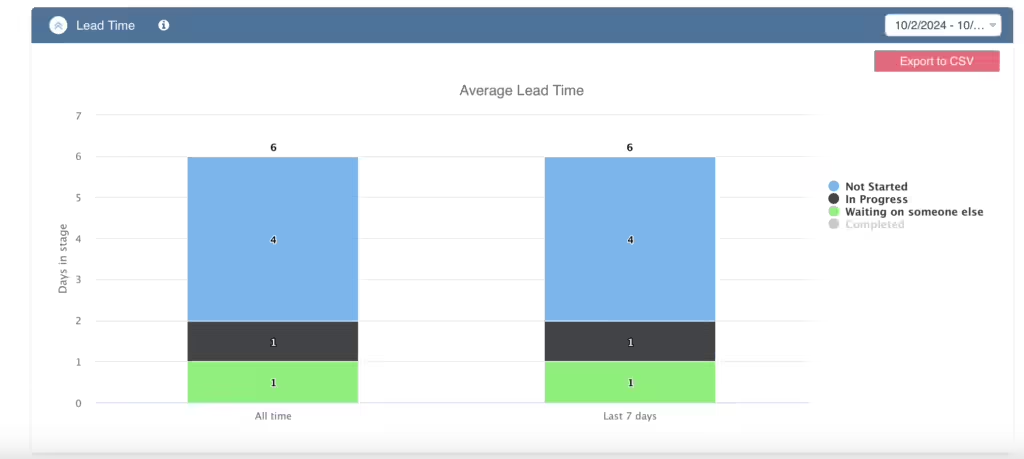
Virto Kanban Lead Time chart measuring how long tasks take to complete
Lead Time
Updated on November 22, 2024