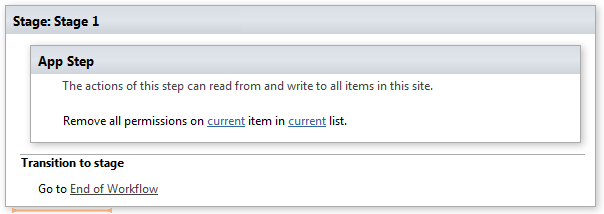
Remove all list permissions for user(s)/group(s)
This activity removes all permission assignments from a list for user(s)\group(s), breaking list permission inheritance if necessary.
SharePoint Designer phrase
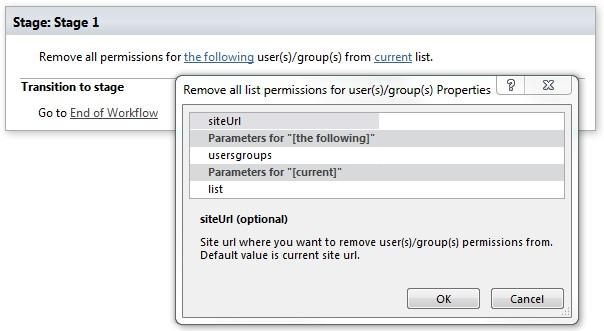
Parameters
Input parameters
| Parameter | Description | Example |
|---|---|---|
| The following user(s)/group(s) | User(s)/group(s) for which you want to remove permissions from list. | User id, login name, email, group name |
| Current list | Name or list ID (guid) which item you want to remove user(s)/group(s) permissions from. If the value field is empty, currentlist will be used. | Tasks[%Workflow Context:List Name%]/Lists/ Tasks |
| SiteURL (optional) | The URL of a sourceSharePoint site where you want to remove | https://contoso/SiteUrl; https://contoso/Sites/SiteUrl;[%Workflow Context:Current Site URL%]/subSite |
| user(s)/group(s) permissions from. If the value field is empty, current site will be used. |
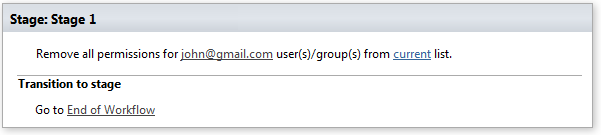
Example
Note: We recommend you to run all Virto Permissions actions inside App Step to avoid failing of your subsequent actions inside the workflow.
Example