
Get list item url
This activity returns Display Form or Edit Form for selected list item.
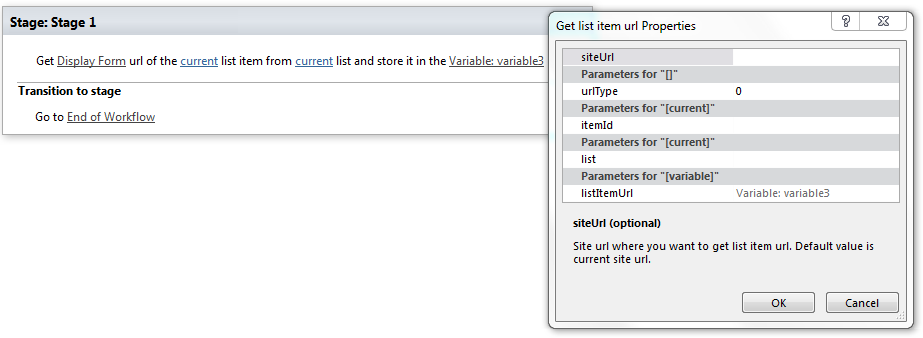
Parameters
Input parameters
| Parameter | Description | Example |
|---|---|---|
| Display Form | Output url format:Display Form – link on list item display formEdit Form – link on list item edit form | |
| Currentitem (optional) | List item ID which url you want toget. If the value field is empty, current item ID will be used. | [%Variable:ItemID%], Current Item:ID |
| Current list (optional) | Title or id(quid) of list where you want to get list item url. If the value field is empty, current list will be used. | Tasks[%Workflow Context:List Name%]/Lists/ Tasks |
| SiteURL (optional) | The URL of a SharePoint site where you want to get list item url. If the value field is empty,current site will be used. | https://contoso/SiteUrl; https://contoso/Sites/SiteUrl;[%Workflow Context:Current Site URL%]/subSite |
| Variable | List item URL |
Example
