
Creating Fieldset
You can create any amount of fieldsets and apply them for different sites of SharePoint groups.
In order to create new fieldset, click “Manage Fields” and use “Click here to add new fieldset” link.
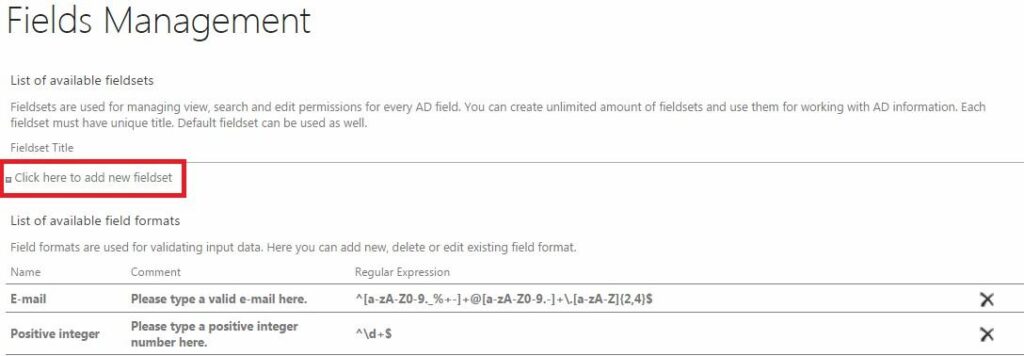
Type name of new fieldset and click “Save”.

Now it will be possible to select this fieldset for using instead of default one (settings of web part, “Edit Web Part” button).
To adjust new fieldset, select it from the list and change settings for required fields as described above.
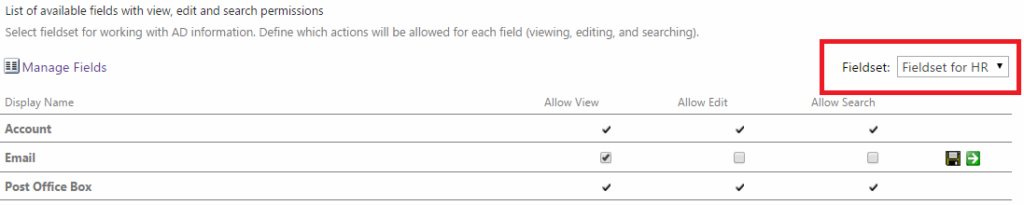
Now you can add User Service web part to different pages of SharePoint and create fieldsets for working with AD.