
Installation
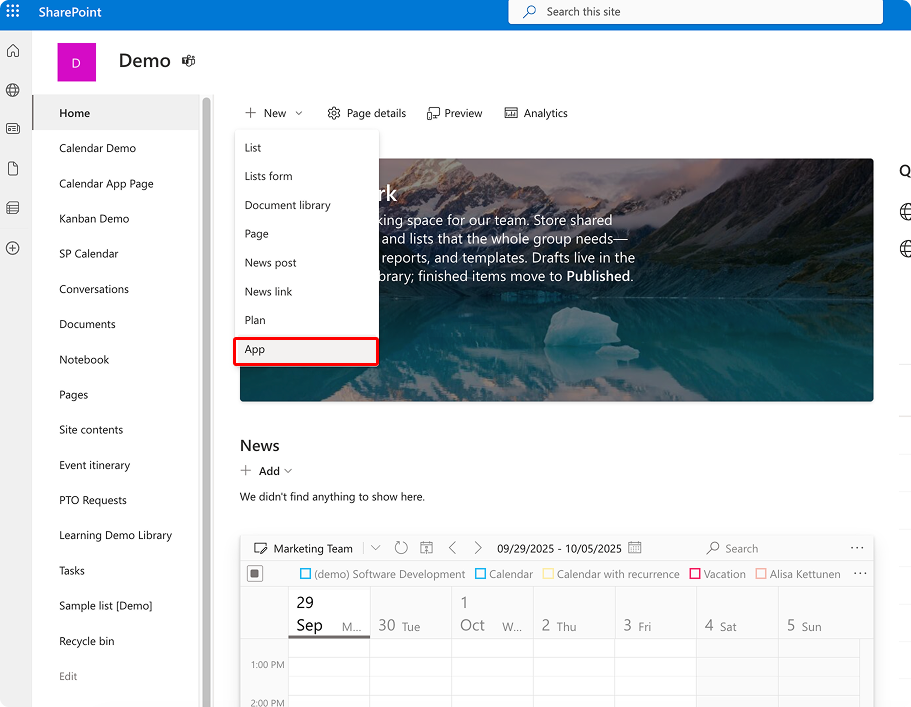
Open the “Site contents” menu on the SharePoint site where you’d like to add the Virto Calendar App. Click “+” in the top panel and choose “App.”
Virto Calendar App Getting Started
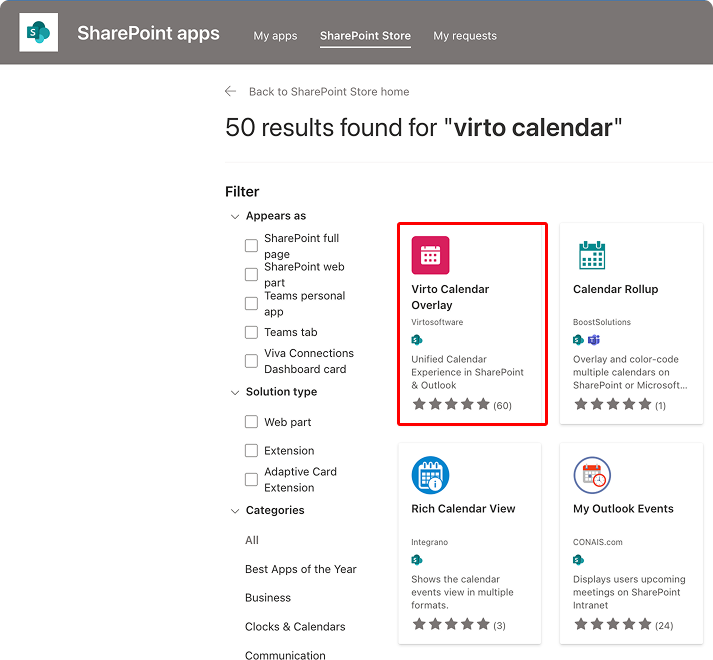
Click “Find more apps in the SharePoint Store” and search for “Virto Calendar.” Click on the app.
Click “Add it” or “Request.”
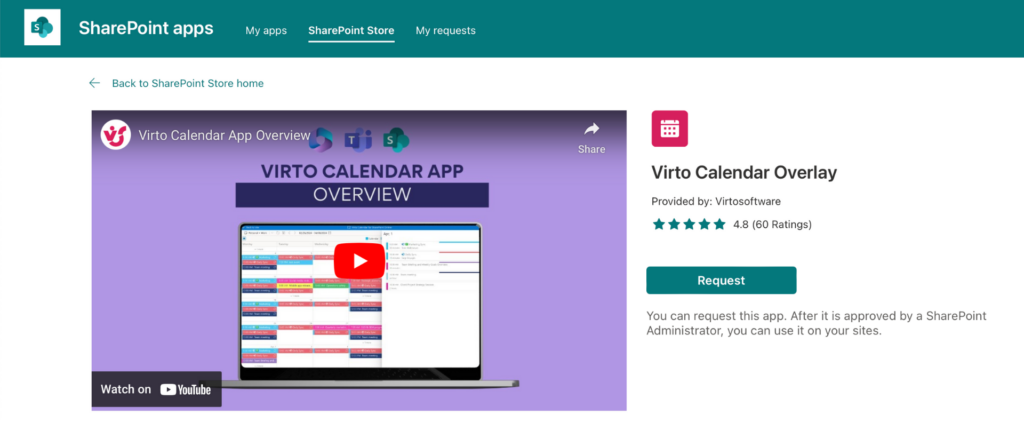
Virto Calendar App will be installed on your SharePoint site with a valid license.