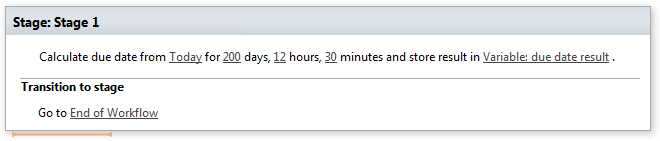
Calculate due date
Note: Virto Workflows for Office 365 is no longer sold. The add-in and the SharePoint 2013 workflows it adds actions to stopped working in SharePoint Online on April 2, 2026, when Microsoft retired SharePoint Add-ins and SharePoint 2013 workflows. This documentation is kept for reference.
This activity allows calculating due date from specific time.
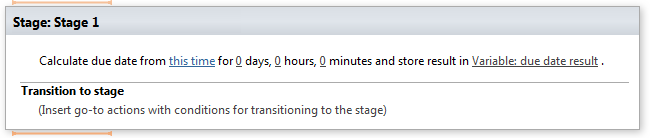
This method does not change the value of date. Instead, it returns a new date whose value is the result of this activity.
Parameters
| Parameter | Description | Example |
|---|---|---|
| this time | Initial date for calculating due date. | Today, CurrentItem:DueDate |
| 0 days, 0 hours,10 minutes (optional) | A number of whole days,hours and minutes for due date. |
Example