
Contact us
View as Markdown
Ask AI

Open this page in an AI assistant with a ready-made prompt.

Opens a third-party service and shares a pre-filled prompt containing this public page URL, its product documentation URL and /llms.txt. No VirtoSoftware account or tenant data is included. Provider terms and privacy policies apply. Verify answers against the linked documentation.

OpenAI terms · OpenAI privacy policy · Anthropic terms · Anthropic privacy policy

Installation

Before you begin, you need to make sure you have access to the server and your account has the appropriate administrative privileges to install applications.

When Office 365 Resource Manager Add-In is installed, it automatically appears on your site in the Site Contents.
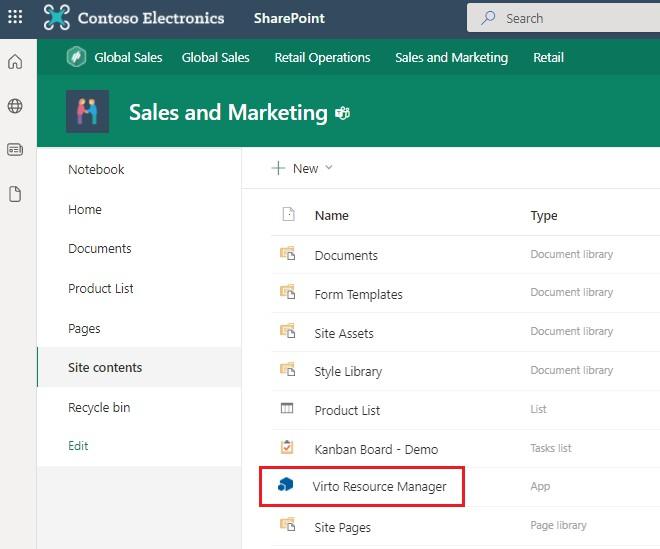
Office 365 Resource Manager add-in appearing in SharePoint Site Contents after installation

In this section

Updated on August 12, 2026