
Contact us
View as Markdown
Ask AI

Open this page in an AI assistant with a ready-made prompt.

Opens a third-party service and shares a pre-filled prompt containing this public page URL, its product documentation URL and /llms.txt. No VirtoSoftware account or tenant data is included. Provider terms and privacy policies apply. Verify answers against the linked documentation.

OpenAI terms · OpenAI privacy policy · Anthropic terms · Anthropic privacy policy

Predecessor and Successor

Virto Gantt Chart App for SharePoint Online supports successor/predecessor relations. Predecessor and successor tasks are connected by arrows on the chart. Successor starts after predecessor.

Predecessor and successor tasks linked by arrows on the Virto Gantt Chart timeline

If you add the predecessor to the task edit form, you can add predecessors right on the chart.
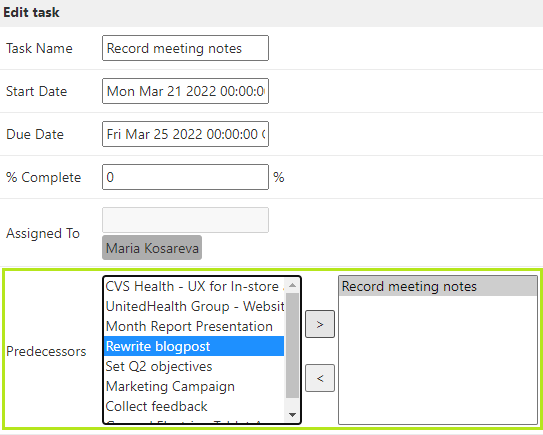
Adding a predecessor directly on the chart by drawing a link between two tasks in Virto Gantt Chart

Note*: a classic Task list has a predecessor column of the lookup type. If you’re using custom SharePoint list,* make sure you have added a predecessor column for proper work.

Updated on August 12, 2026