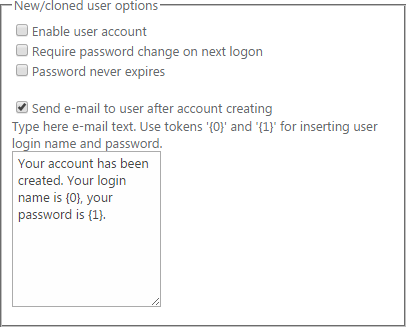
New/Cloned User Options
Check the box “Enable user account” to make a user active when he is created. (New users are inactive by default and require administrator’s activation).
Check the box “Require password change on next logon” if you want to user to change his password
set while creating when he logon to SharePoint site.
Check the box “Password never expires” if you do not want users to change their password because of
its expiration.
Check the box “Send e-mail to user after account creating” to allow sending e-mails to users after their accounts are created. Type the text of e-mail message with special tokens.