
Subtask view mode
To easily manage subtasks on your board, you can switch to “Subtasks view” mode. This mode allows you to view subtasks grouped by their parent task, with the parent task fields becoming the swimlane fields.

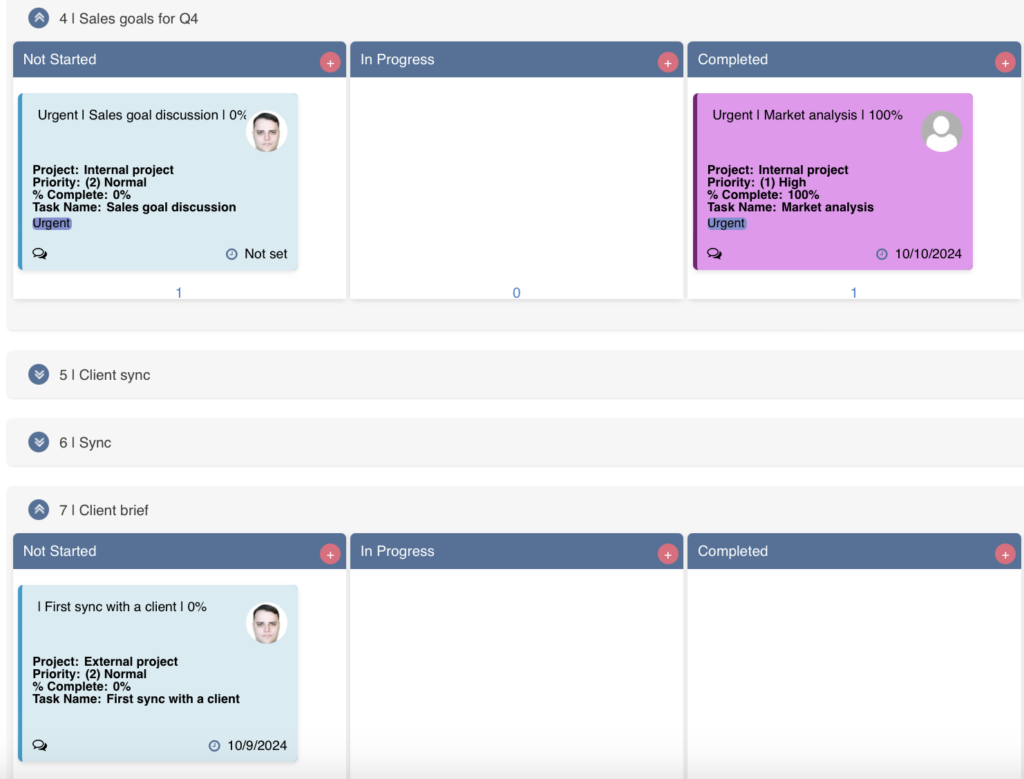
Since subtasks are now grouped into swimlanes, you can also move tasks between swimlanes (parent tasks).
This option is available by default for quick boards. If you’re working with a board from a custom task list, ensure that the “Enable subtask/checklist” checkbox is selected in the “Advanced Setup –> Additional” settings.
If you’re using a multilevel board with more than two levels of tasks, you can display subtasks from all levels. Make sure the “Allow multi-level” checkbox is selected in the “Advanced Setup –> Additional” settings.