Array contains element (Free)
This condition determines whether an element is in the ArrayList.

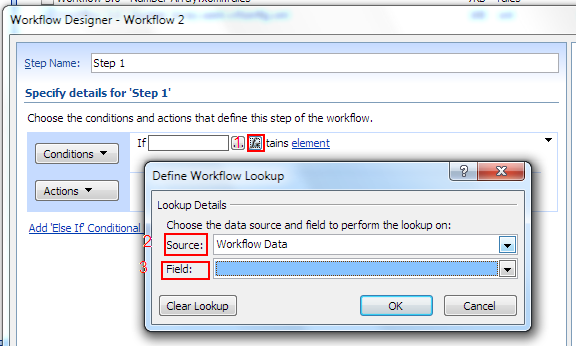
The array and element variables should be added in the workflow. To select variable:
- Click variable link
- Click Display data binding button
- Select “Workflow Data” data source
- Select variable
- Click OK button to commit