
Contact us
View as Markdown
Ask AI
Open in ChatGPT Open in Claude

Opens a third-party service and shares a pre-filled prompt containing this public page URL and /llms.txt. No VirtoSoftware account or tenant data is included. Provider terms and privacy policies apply. Verify answers against the linked documentation.

OpenAI terms · OpenAI privacy policy · Anthropic terms · Anthropic privacy policy

Using Virto Resource Manager App

When the app is adjusted, it consists of two visual parts.
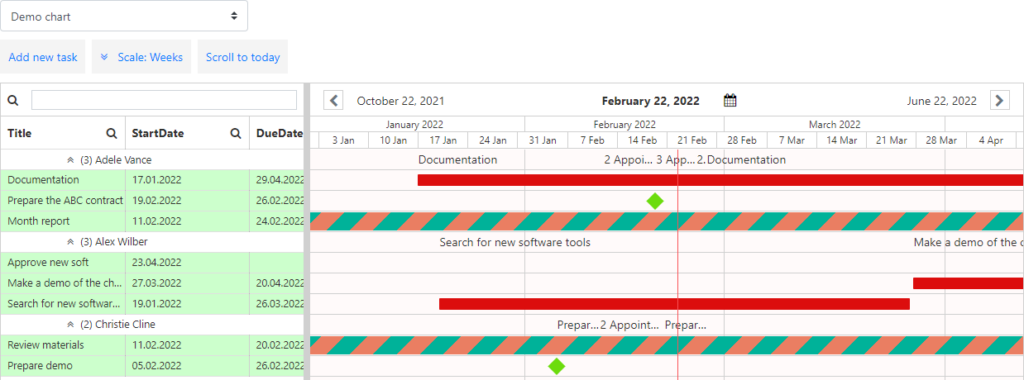
Virto Resource Manager showing the resource list on the left and the task timescale on the right

Note*: See the “Adding App to a SharePoint site” section to specify a chart for each page.*

The left part includes the list of resources (users, task names, date and time, etc.). The right part shows the timescale with tasks planned for a single period with chosen colors. The number of tasks assigned to a person for the same period is shown on the chart. The visualized resource utilization helps managers to edit the plan depending on workload. Place the cursor on the number of tasks to see the detailed information in a tooltip.

Tooltip showing detailed task information when hovering over a resource’s task count

In this section

Updated on August 12, 2026