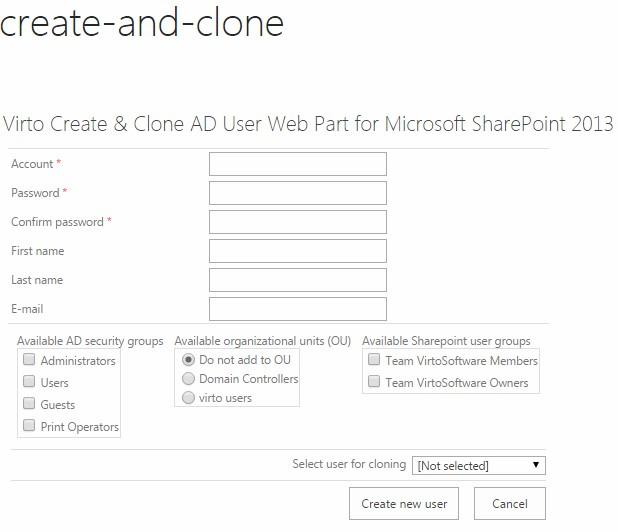
Integration with Virto Create & Clone AD User
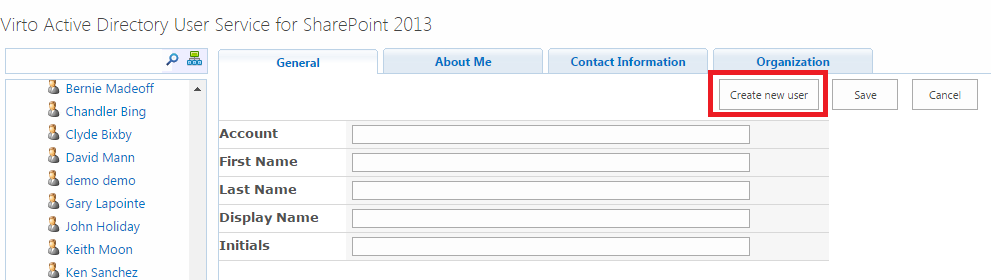
Virto SharePoint Active Directory User Service allows integration with Virto Create & Clone AD User. In
this case “Create new user” button is available on the AD User service web part page.
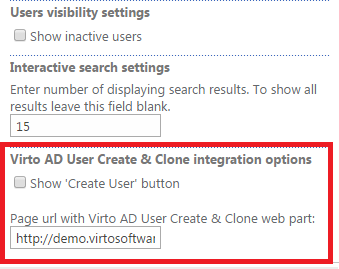
To adjust integration, go to “Edit web part” check the box “Show ‘Create User’ button” and enter page URL with Virto AD User Create & Clone web part.
Now just click “Create a new user” button and you will be redirected to Create & Clone page.