
Conversion of Standard Lookup to Virto Lookup
Virto Lookup allows users to convert existing SharePoint lookups to Virto Lookups and use extended Virto features without creating new lookup.
Just click the link in “Convert” block and select an existing lookup.


Click “OK” to finish column adding.
Dependence can be applied to the following single value fields:
- Single line of text
- Choiсe (Drop-Down menu)
- Lookup (Single value, Multi Value)
- Virto Cross-Site Lookup Selector (Single value, Multi Value).
The same way you can add fields with “Cross-site Lookup Selector” type.
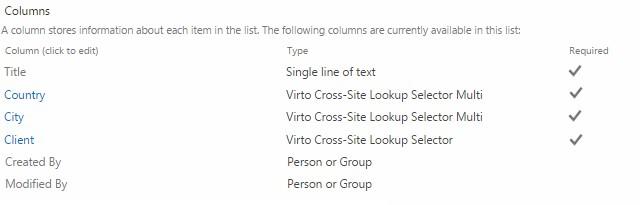
Now the fields are adjusted and you can use lookup option (see the next section).