
Adding the Web Part to a Page
Go to SharePoint site where you want to add the web part and open “Site Actions - Edit page”.
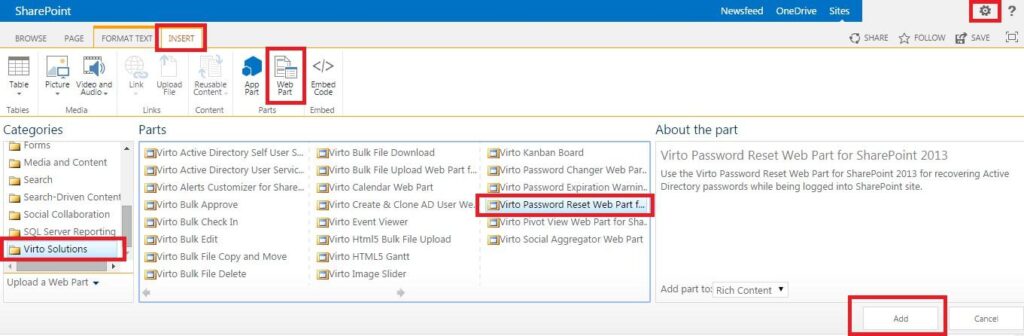
You will switch to edit mode. Click “Add a Web Part”.
Select Virto Password Reset and Recovery Web Part for SharePoint at the bottom of the list and click “Add”. Once you have clicked “Add” button, use “Exit edit mode” button.