
Subscription
The Virto Shared Calendar is a subscription-based product that enables team collaboration and shared scheduling within Microsoft Teams.
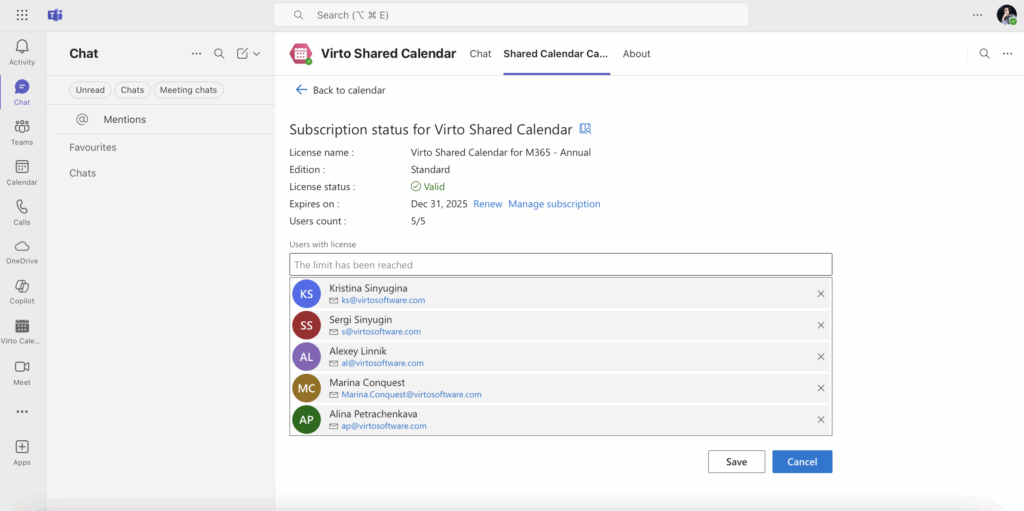
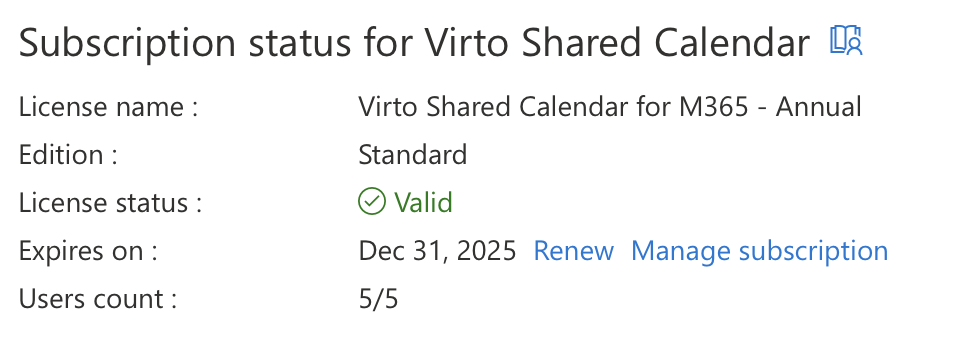
- The subscription in this example allows up to 5 users.
- When the user limit is reached, no additional users can be added until a license is upgraded or a user is removed.
- Existing users can be managed (added or removed) through the subscription management interface in the very same page.
Renewal and Management
- The subscription can be renewed before the expiration date to ensure uninterrupted access.
- Subscription management (including renewal and user assignment) is accessible through the “Manage subscription” and “Renew” options in the product interface.
When the user limit is reached, the system displays “The limit has been reached” and prevents adding more users until the limit is adjusted.

How to manage your Subscription
- Navigate to the Virto Shared Calendar (in Microsoft Teams / browser / M365 interface).
- Go to the “Shared Calendar” tab and click “Subscription”
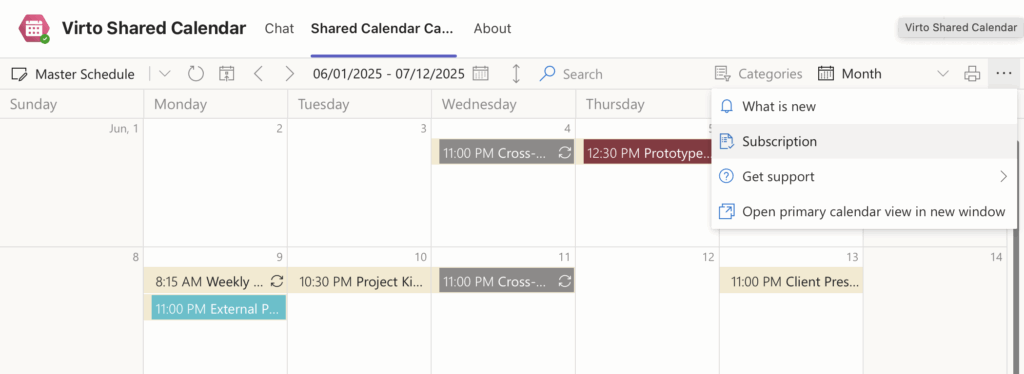
- Click the “Renew” link if you need to contact our sales manager. Or click the “Manage subscription” link to upgrade your license if you need to add more users.
For further assistance with your subscription, contact the Virto support team or refer to the help documentation within the product interface.