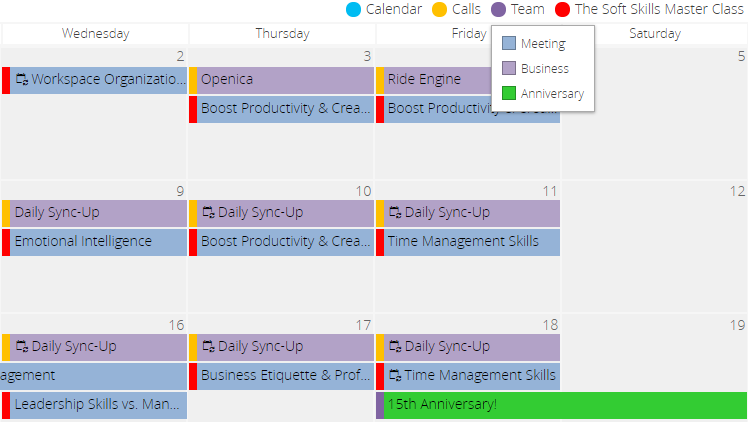
Unify Categories
If you have multiple data sources with various categories, too many colors in the calendar may be confusing.
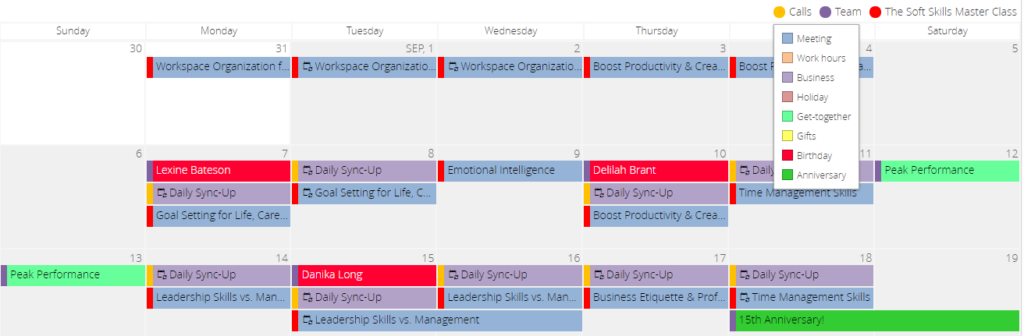
In this case, you can unify the categories. Just decide once which colors to use for each category in your calendar: divide all the events into groups, such as meetings, birthdays, or get-together events, and specify the colors for them. These colors will be the same for each data source in your calendar.
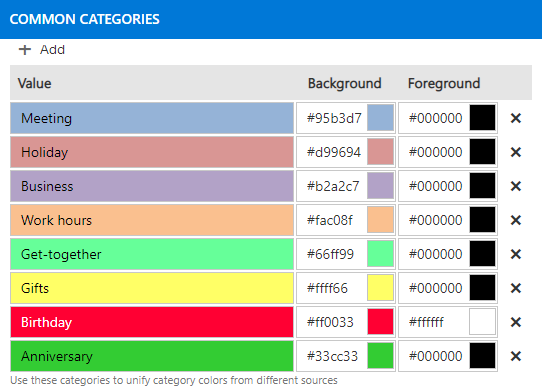
To do this, find the “Common categories” block in the “General” tab and choose the colors for the categories you will use.
Now, all the data sources of your Virto calendar have the same color-coded categories. If it still looks over-colored, you can hide some categories (for instance, your personal events) for all the data sources and show only the essential ones. Leave the categories you will use and select the checkbox “Show events of these categories only“.
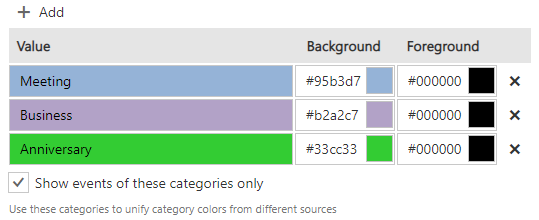
From now on, only the chosen events will be displayed in your calendar.