Month View settings
Month view settings are similar to multiday view settings.
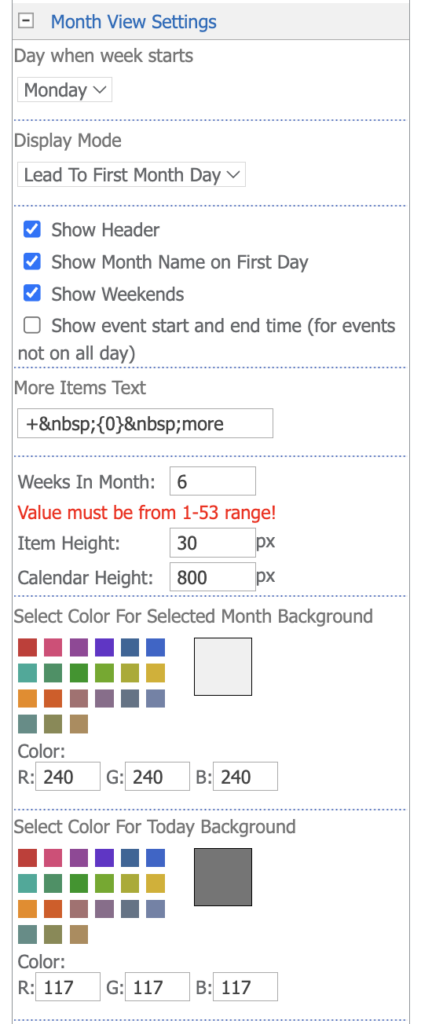
In Day when week starts, select Monday or Sunday. The setting is made separately for the Multiday, Month and Task views.
Display Mode defines the first week of the Month view. Lead To First Month Day (default) starts the grid with the week that contains the first day of the month. From Selected Date starts the grid with the week of the selected date, so the following weeks run into the next month.
Show Month Name on First Day adds the month name to the first day of each month in the grid. Show event start and end time shows the times of events that are not all-day events.
Uncheck Show Weekends to hide Saturday and Sunday in the Month view. Weeks In Month sets how many weeks the Month view shows, from 1 to 53 (default 6). A value outside this range is not saved, and the previous value is kept. In the modern web part, the default is 5 and a value outside the range is replaced by the default; see Modern calendar settings.
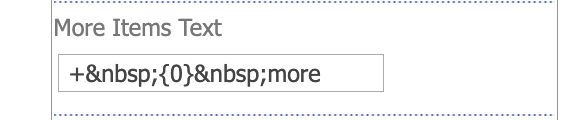
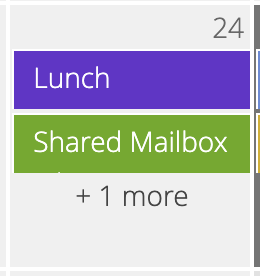
In addition, you can edit the text displayed if there are more items in the cell (More Items Text). For example, to display the text as shown below, you need to enter the following combination: Copy
+ {0} moreIn this case, the special token {0} is used. If it is not used, the number of items will be inserted at the end of the string.