Convert InfoPath to PDF
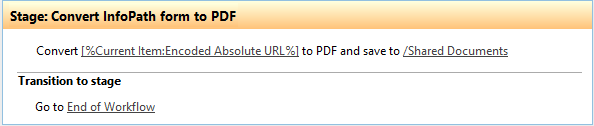
This activity allows user to Convert InfoPath to PDF and save to document library.
Note: This action needs Virto Converting App, a separate component that is not included in the Virto Workflow Automation installation package. The action only adds a conversion job to a service list; Virto Converting App, which runs on a separate server with Microsoft InfoPath, creates the PDF. Without it, the jobs are not processed. If you hold a Virto Workflow Automation license, contact support at support@virtosoftware.com to ask whether Virto Converting App can be provided.
SharePoint Designer phrase

Parameters
Input parameters
| Parameter | Description | Example |
|---|---|---|
| SourceSiteURL | The URL of a source SharePoint site. If the value field is empty,current site will be used | https://contoso/SiteUrl; https://contoso/Sites/SiteUrl;[%Workflow Context:Current Site URL%]/subSite |
| SourceList | The list where the InfoPath form is. The value could be list name, GUID or list URL (the web site relative URL). If the value field is empty,current list will be used | Documents[%Workflow Context: List ID %]/Lists/ Documents |
| SourceItem | The URL of the InfoPath form to be converted. You can use absolute URL as well as web site relative URL. Or you canto specify the list item ID. | [%Variable:ItemID%][%Current Item: Encoded Absolute URL%]/Source Documents/report.xml https://contoso/LibraryName/DocumentName.xml |
| DestinationSiteURL | The URL of a destination SharePoint site. If the value field is empty,current site will be used | https://contoso/SiteUrl; https://contoso/Sites/SiteUrl;[%Workflow Context:Current Site URL%]/subSite |
| DestinationList | The list where the PDF file will be created. The value could be list name, GUID or list URL (the web siterelative URL). | Documents[%Workflow Context: List ID %]/Lists/ Documents |
| ViewName | Specify the view name of InfoPath form that you want to convert | myView [%Variable:ViewName %] |
Example