Outlook Group Calendar
If you are a member of many groups, this method is the best choice for achieving a clear visual distinction. With it, you can view group events (for your Outlook groups) separately and overlay or turn them off at any time.
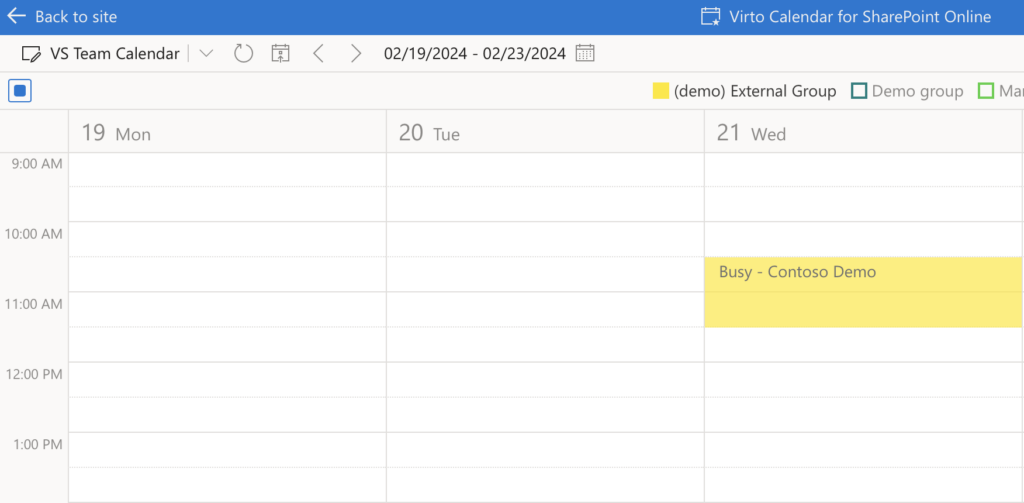
To set up a separate calendar view for a user group from Outlook, follow these steps:
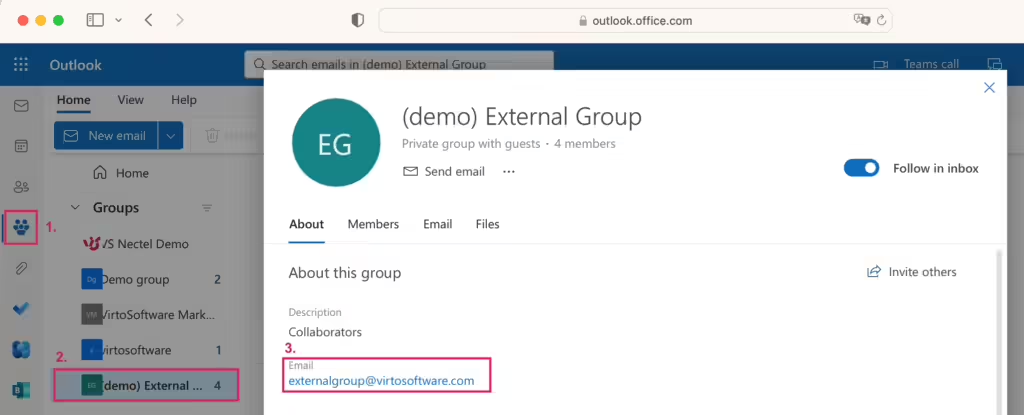
- Open Outlook in your browser.
- Go to ‘Groups’ in the left pane menu and locate the group you want to add. Click on it and copy its email address.
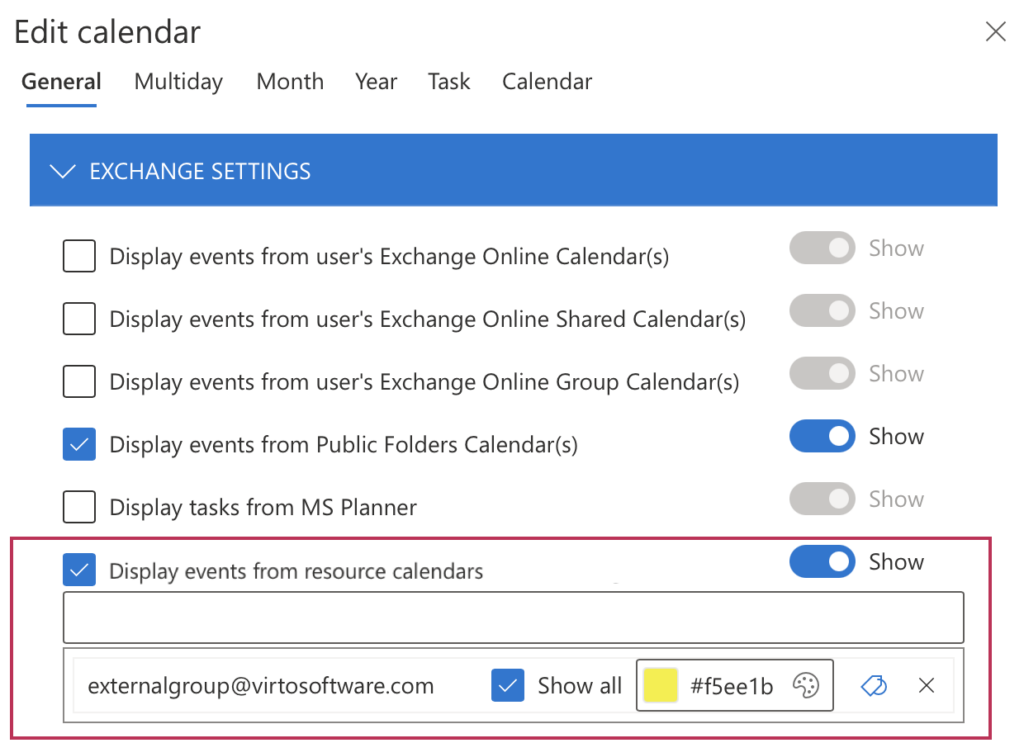
- Back to Edit calendar in your Virto calendar settings, select “Display events from resource calendars” and paste the email address below.