Remove permissions from list item
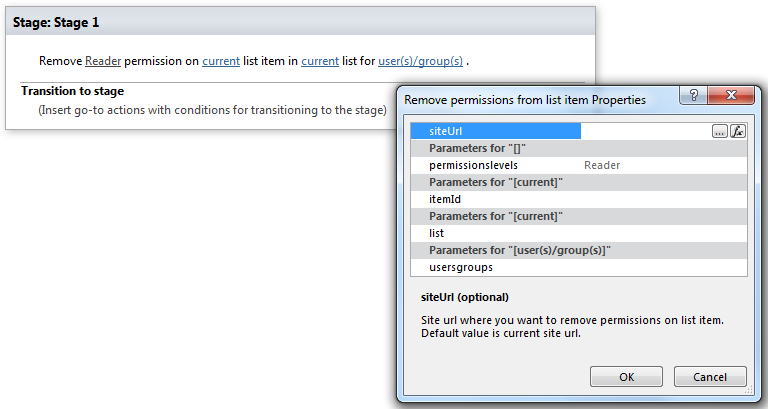
This activity removes permission assignment from list item. SharePoint Designer phrase
Parameters
Input parameters
| Parameter | Description | Example |
|---|---|---|
| The following | Permission level string. Multi permission assignments are supported. Use ‘,’ or ‘;’ separator to grant several permissions.Example: | Approve, Read, View Only. |
| Current item | Item ID. If the value field is empty, current item ID will be used. | [%Variable:ItemID%], Current Item:ID |
| Current list | Title or Url of chosen list. If the value field is empty, current list will be used. | Tasks[%Workflow Context:List Name%]/Lists/ Tasks |
| SiteURL (optional) | The URL of a source SharePoint site. If the value field is empty, current site will be used. | https://contoso/SiteUrl; https://contoso/Sites/SiteUrl;[%Workflow Context:Current Site URL%]/subSite |
| User(s)/group(s) | User login, e-mail, group name, group ID | “user@domain”, “domain\user”. It allows multiple values separated by a semicolon. |
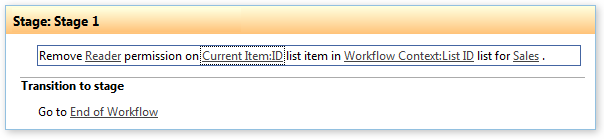
Example
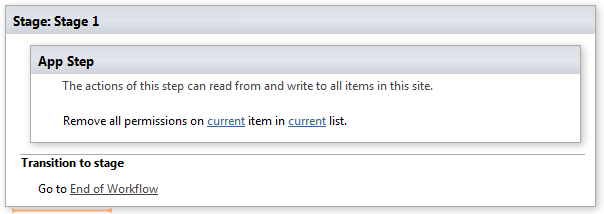
Note: We recommend you to run all Virto Permissions actions inside App Step to avoid failing of your subsequent actions inside the workflow.
Example