
Resetting Password from a Site with Anonymous Access
Situation:
SharePoint site uses Windows Authentication and users’ profiles are stored in Active Directory.
A user tries to logon to SharePoint site of his company but he has forgotten the password. He needs to change his password and enter the site.
Solution:
This user cannot logon to SharePoint site. But he can navigate to a SharePoint site with anonymous access (created by SharePoint administrator before) and use the Virto Password Reset & Recovery web part installed on it. As a result user receives his password for access to SharePoint site.
How to implement:
To implement the solution and make it possible for SharePoint users to reset their password when they cannot logon to SharePoint site, the following actions must be done:
- SharePoint site with anonymous access should be created.
- The Virto Password Reset & Recovery web part should be installed on this site.
- SharePoint users must be informed about this site existence or automatic redirect for wrong password cases can be adjusted.
- The Virto Password Reset & Recovery web part must be adjusted (security question or email option, see Virto Password Reset Administration section).
Detailed Instruction:
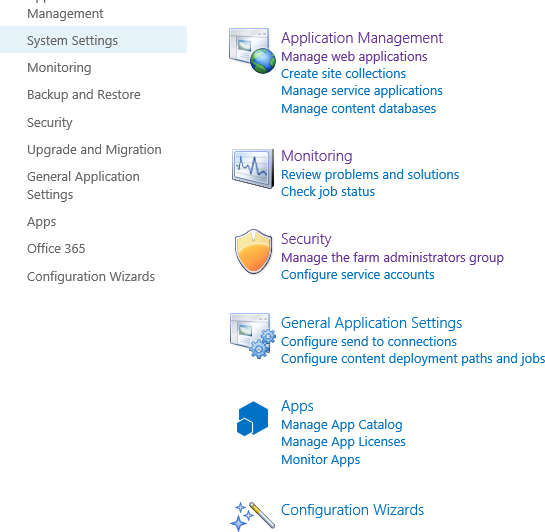
- Go to Central Administration site (“Application Management” -> “Manage Web Application”)
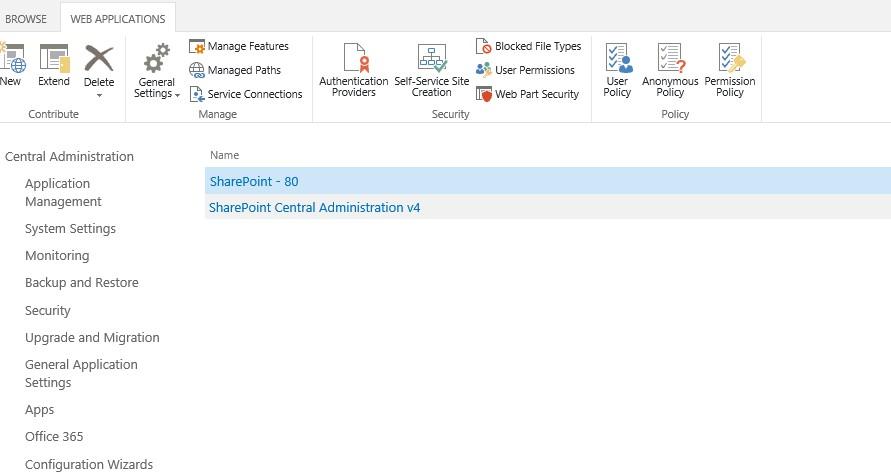
Choose “Web application” from the list. Click “Authentication Providers” on the ribbon.
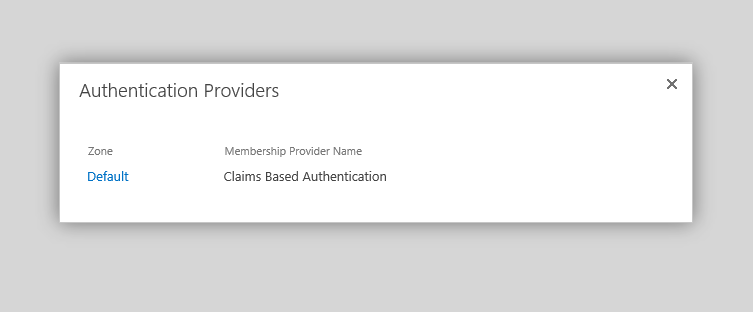
Choose a provider from the list.
- Check the box “Enable anonymous access” for required Web Application.
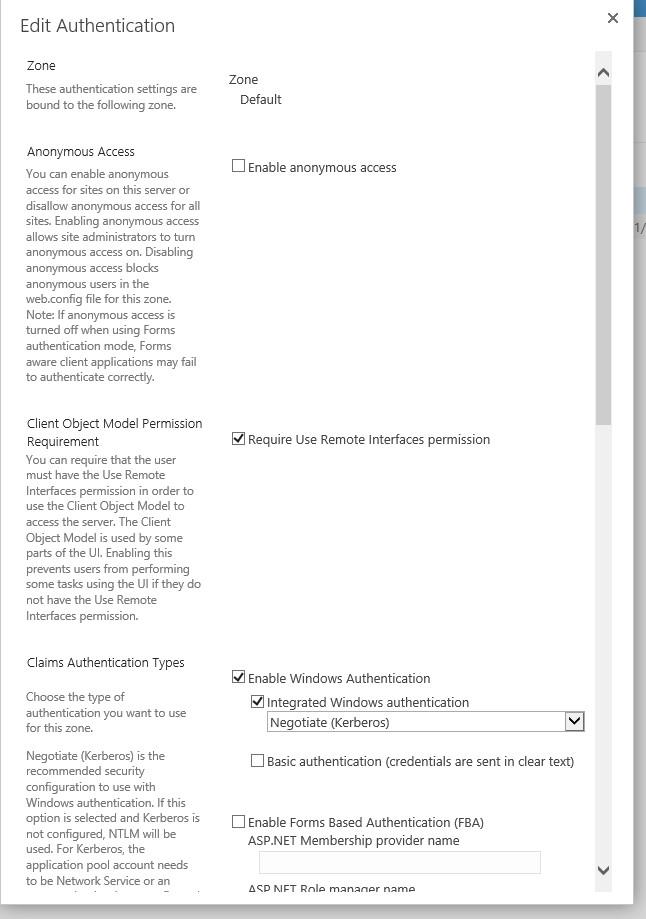
Now the ability to select anonymous access to sites is added to the Web Application.
- Go to “Site contents” in “Site Administration” section and create a New site.
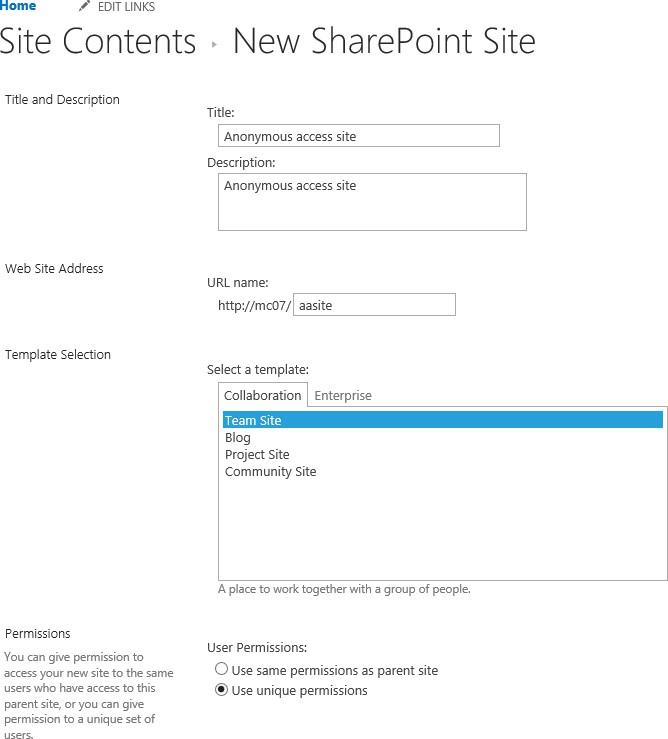
Enter your site name. Select “Blank Site” template and check “Use unique permissions” in the “Permissions” group. Click “Create”.
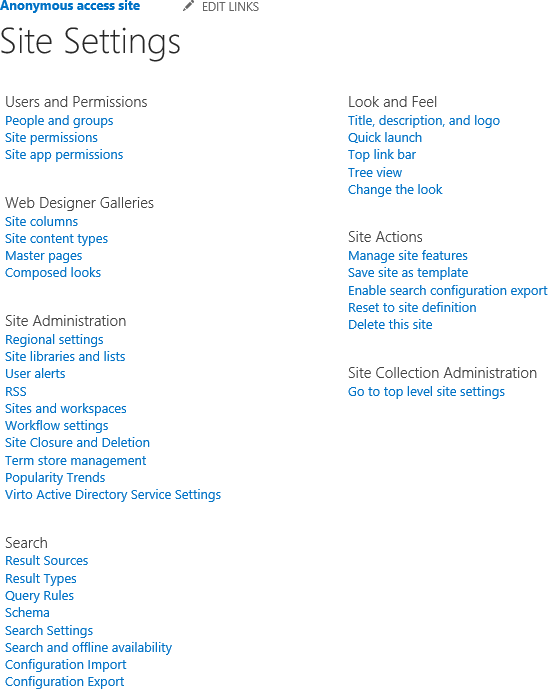
Now go to the created site - > Site settings. Click “Site permissions” in “Users and Permissions” section.
- Go to “Settings” - > “Anonymous Access”. Check the box “Entire Web site” for anonymous access settings.
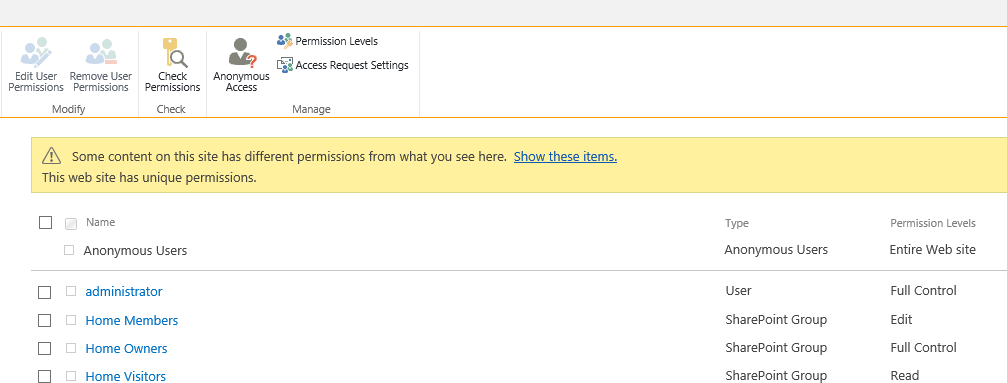
Now Password Reset site can be accessed with anonymous authentication.
- Then add the Virto Password Reset & Recovery web part to the first page of this site (see Adding the Web Part to a Page) and configure it (see Virto Password Reset and Recovery Administration). Now user can get anonymous access to this page and reset his password.