
Cloning AD Users with Virto Web Part
Virto Create & Clone AD User web part allows cloning AD users. This means that when you create a new
user you can automatically define some fields that will be cloned from a certain user’s details.
Go to the web part added to your SharePoint site page.
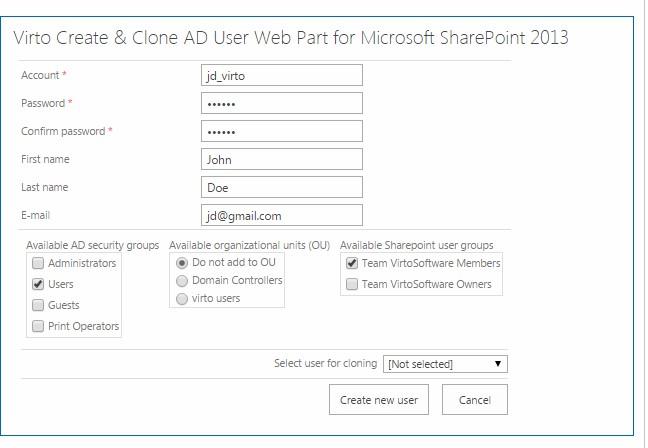
Enter account (new user’s login), his future password and confirm it. These fields are required to enter even if you clone a user.
If adding to selected active directory user groups is allowed (see web part settings), select an organizational unit that new user will belong to.
If adding to selected SharePoint user groups is allowed (see web part settings), select a group that new user will belong to.
Note: if you select none SharePoint groups, new user will be created only in Active Directory.
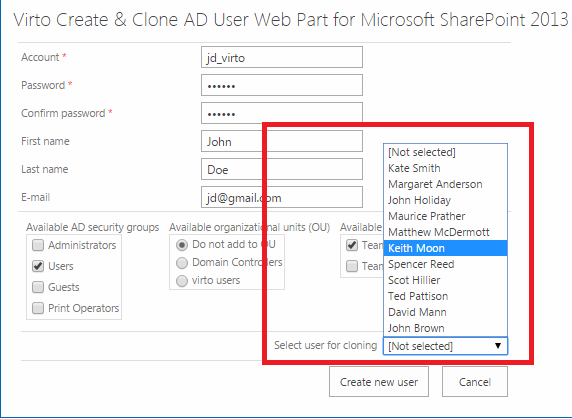
Select user who will be used for cloning (available users and details fields are defined in the web part settings) and click “Create new user”.
To view new user details, go to “Virto Active Directory Service Web Part” (please see web part information).