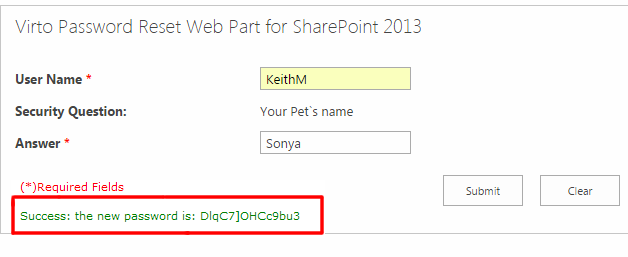
Use Case: Using Security Question for Password Resetting
Situation:
User forgets the password. How to reset the password with an answer to a security question? How this answer is defined?
Solution:
User defines an answer to a security question when he fills out a special field. Information from this field will be verified and if the answer is correct, password will be reset.
How to implement:
Two web [arts are installed on a SharePoint site – Virto SharePoint Active Directory Self Serviceand
Virto SharePoint Password Reset Web Part.
The first web part allows user to set an answer to a security question (value of the special field), the second web part enables to reset the password when user forgets it.
The following actions must be done:
- Virto SharePoint Active Directory Self User Service installing.
- Adding special field which will contain answer to a security question.
- Virto SharePoint Password Reset Web Part installing.
- Selecting field (created in 3) in the SharePoint Password Reset Web Part settings for security question answer.
Detailed Instruction:
For SharePoint site administrator
Install Virto SharePoint Active Directory User Service. Then go to “Site Actions – Site Settings”.
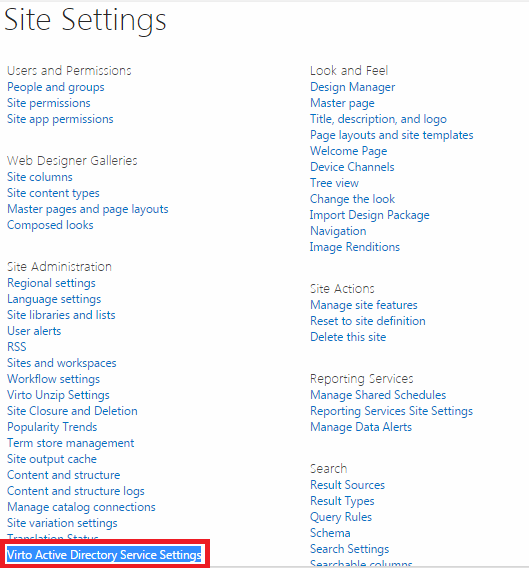
Follow the link “Virto Active Directory Service Settings”.
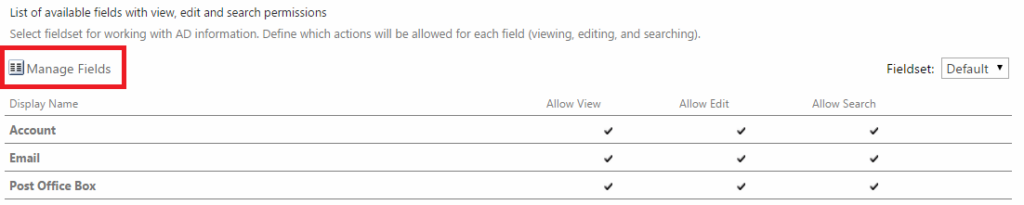
Click “Manage Fields” and use “Add Field” to add new field to the list.

Enter required data and pay attention to the field “AD Name” (corresponding field from Active
Directory).
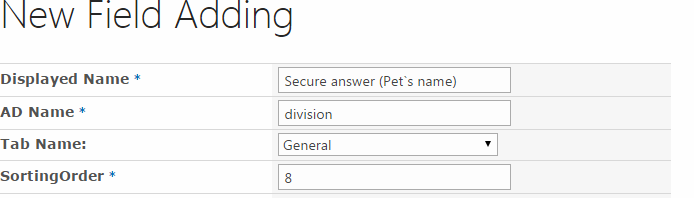
Click “OK”.

The field will appear in the SharePoint Active Directory Self User Service Web Part.
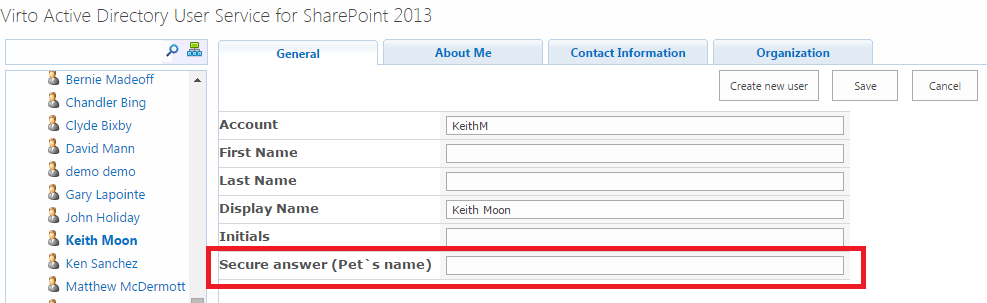
Go to the site where Virto SharePoint Password Reset Web Partis installed. Use “Edit Web Part”.
Adjust web part for security question (see User Guide). Define the field (created with the SharePoint Active Directory User Service) as a field with an answer to security question.
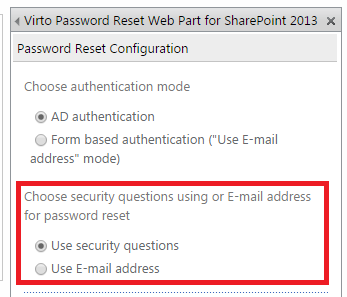
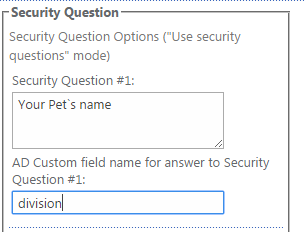
Click “OK”.
For user
Go to SharePoint site where the SharePoint Active Directory User Service is installed. Fill out the field
“Secure Answer (Pet’s Name)”. Click “Save”.
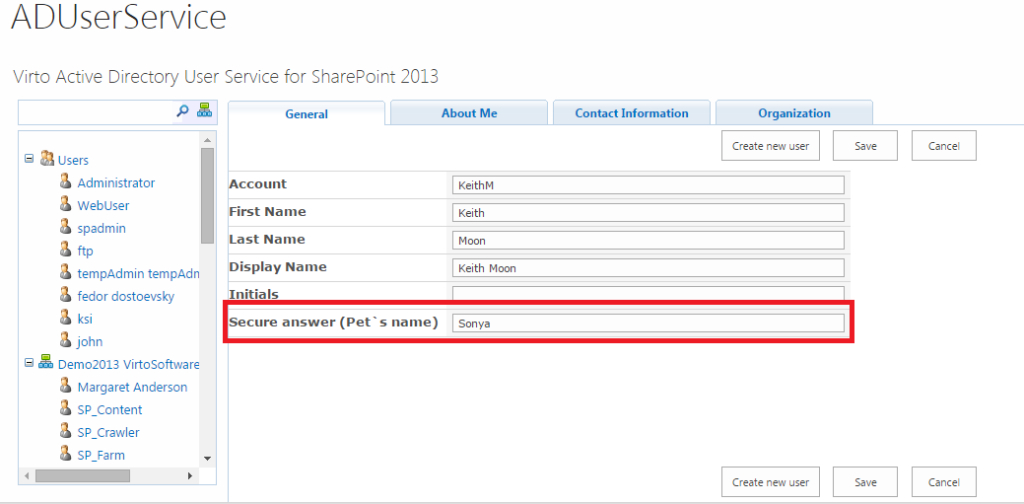
If user forgets his password.
Go to the site with anonymous access (contact your administrator).
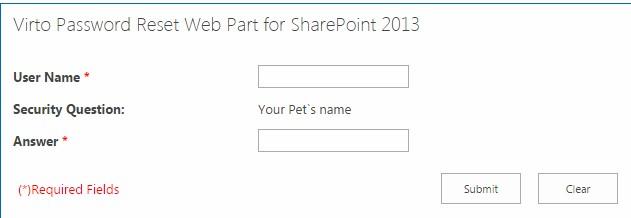
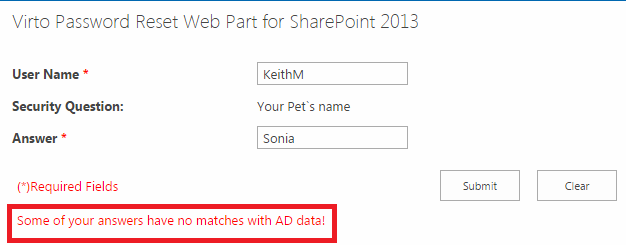
Enter answer to the security question. Click “Submit”. If the answer is incorrect, a message will appear.
When the answer is correct, password will be displayed and sent by e-mail.