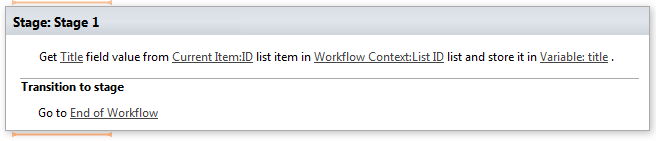
Get field value from list item
This activity extracts values from field from list items at specified list and store result in Variable.
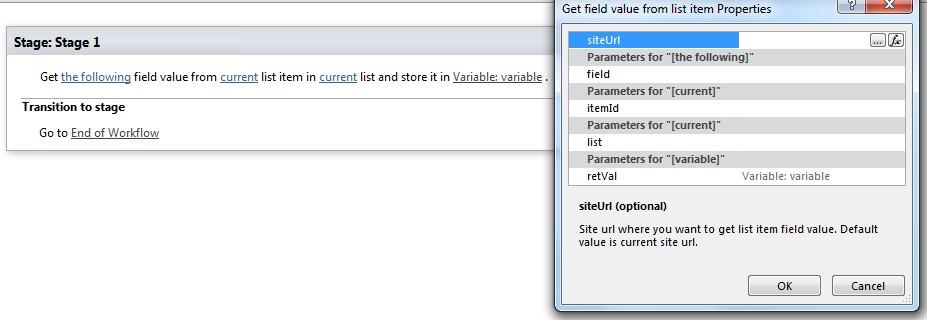
Parameters
Input parameters
| Parameter | Description | Example |
|---|---|---|
| The following field | Field name which value you want to get. | Title, Due Date, Task Status |
| Current list item | List item ID which field value | [%Current item: ID%] |
| (optional) | you want to get. Default value is current workflow context list item ID. | |
| Current list (optional) | List ID (guid) or name where you want to get list item field value. . Default value iscurrent workflow context list. | [%Workflow Context: List ID%] |
| Site URL(optional) | The URLs of a SharePoint sites (semicolon delimited). If the value field is empty,current site will be used. | https://contoso/SiteUrl; https://contoso/Sites/SiteUrl; [%Workflow Context:Current SiteURL%]subSite |
Example