
Restarting Terminated Worflows
Terminated workflows (“Canceled” or “Error Occurred”) can be restarted manually or configured to restart automatically.
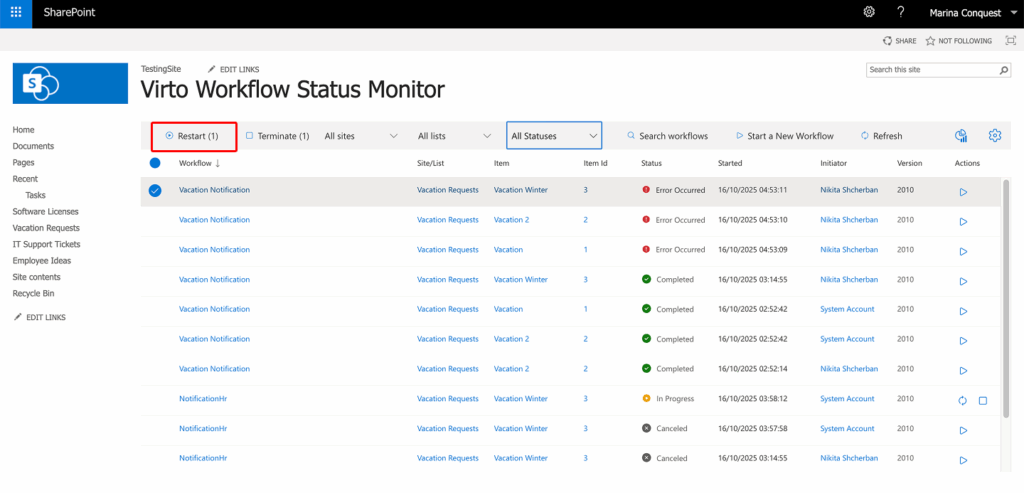
Check the boxes opposite the workflows you need to restart and click the “Restart” button.
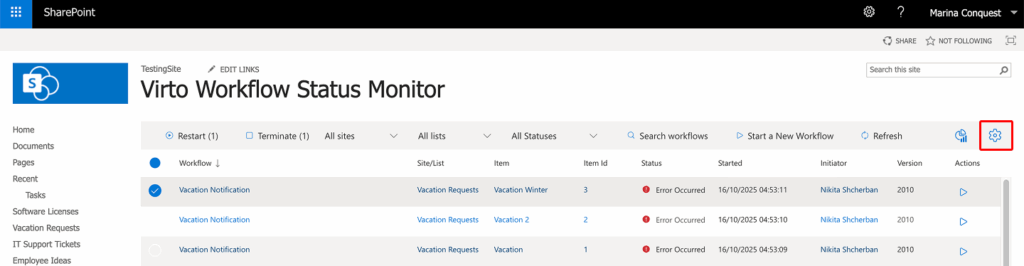
To enable automatic restarts, open “Settings” and select “Auto restart terminated workflows”. If a workflow is terminated for any reason, it will restart automatically.
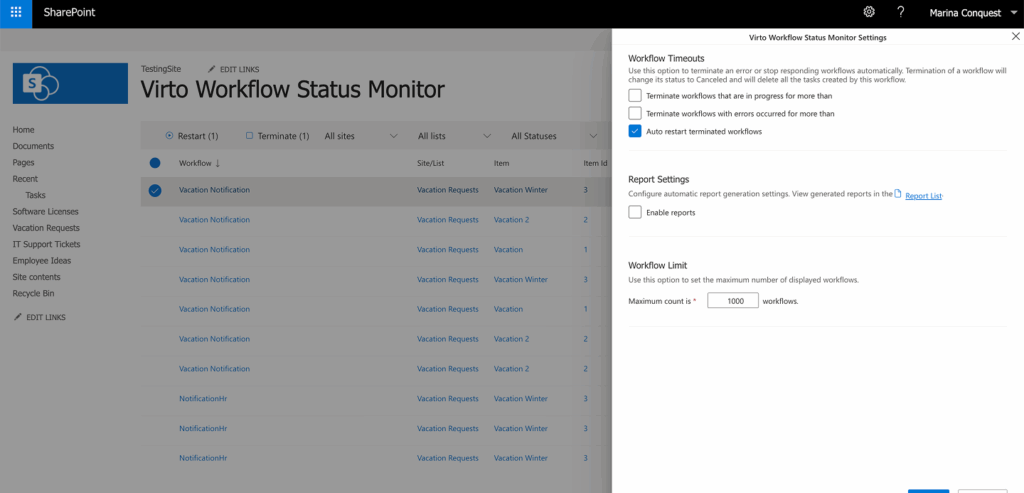
Note: automatic restart is available only for SharePoint 2010 workflows.