
Workflow Reports
Virto Workflow Status Monitor generates reports on workflow results.
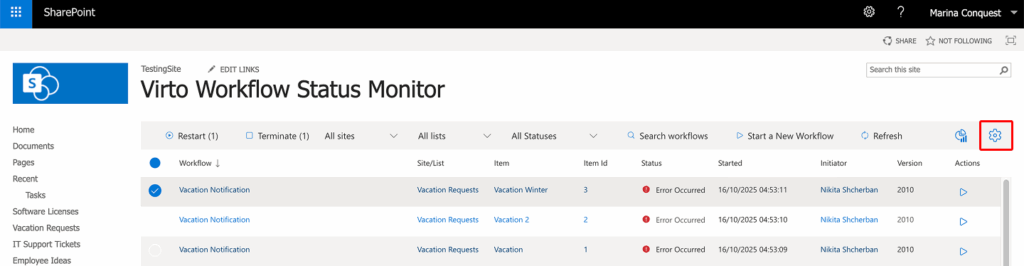
Click “Settings” to open the settings.
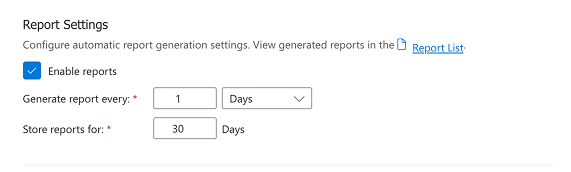
In the “Reporting” section, check “Enable reports”, then set how often reports are generated and how results are stored. Click the “Report List” to view your reports.
Reports are created by the timer job Virto Workflow Monitor Timer Job in the list Virto Workflow Monitor Report List of the site. Each report is one list item with the number of workflows In Progress, Error Occurred, Canceled and Completed, and the Total. The list has the views Today, Last 3 days, Last 7 days and Last month.
- Generate report every: 1–99999 minutes, hours or days.
- Store reports for: 1–9999 days; older reports are deleted automatically.