
Terminating Running Workflows
Using Virto SharePoint Workflow Status Monitor, you can terminate running workflows. Just check the required workflow and click the “Terminate” button. Then click “OK”.
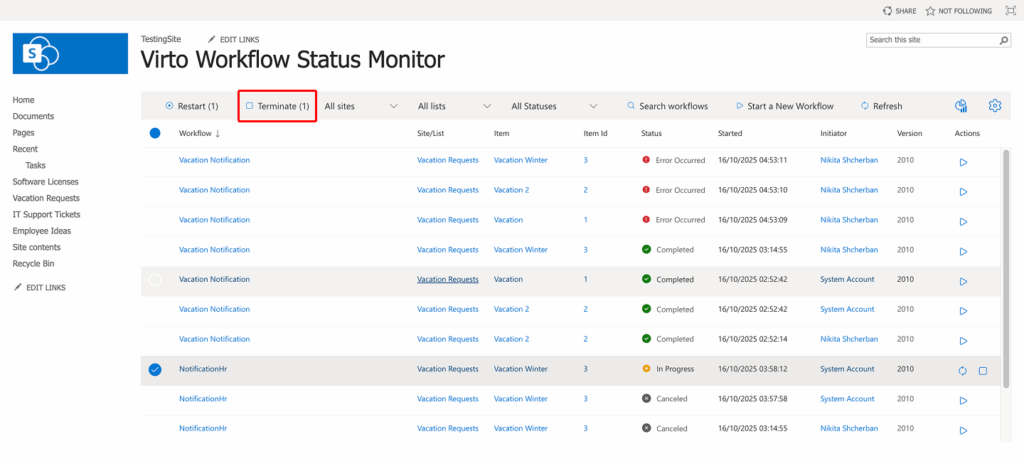
Refresh the page using the “Refresh” button.
Terminating a workflow sets its status to Canceled and deletes all tasks the workflow has created. This also applies to workflows terminated automatically by a timeout rule.