
Form Based Authentication
To use form based authentication (password is defined specially for logging to SharePoint site), select it in the “Password Rest Configuration” block.
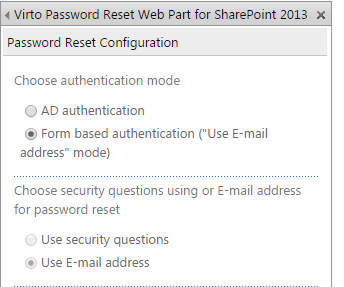
Form based authentication allows only one type of password reset – “Using email address”. This means that password will be sent by email according to the system settings. Security question option will be disabled.
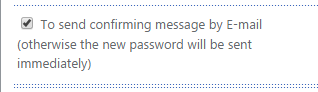
Check the box “To send confirming message by e-mail”, and user will receive email with link to follow before password is reset. If you uncheck this box, the password will be sent by email immediately with no additional links to follow.
Now define Email options for password reset.
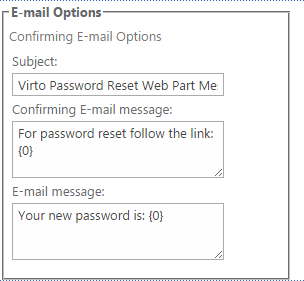
Type the subject and message text to be displayed in the system email message. If you checked the box
“To send confirming message by e-mail”, type the text of confirming email message.
Now click “OK” to save the settings and return to the web part. Or click “Apply” to save the settings and
continue adjustment (in this case the settings block will stay opened).