
Virto License Manager
The License Manager is the tool used to activate licenses for VirtoSoftware components and to display the current subscription status of these components. It is included in the installation package for each VirtoSoftware product.
The documentation covers the following versions:
| Name | Version | SHA-256 |
|---|---|---|
| Virto Web License Manager for SharePoint 2013 | 3.1.13 | Not published |
| Virto Web License Manager for SharePoint 2016 | 3.2.7 | 85364349AE935380B48FE48037CAEBCFE0C67C0E1B5FAF841F16FC22193E85E3 2016 checksum file |
| Virto Web License Manager for SharePoint 2019 | 3.2.7 | F6DBF444BEFDD98417DA0174FE1EBA254DA45823F64E749D993872A2474EE0AC 2019 checksum file |
| Virto Web License Manager for SharePoint SE | 3.2.7 | 6FA6D1214870E0709CF3D4E707F16E6A2C5A989FE83D6E5034665D0F8D4D5900 SE checksum file |
Download Licence Manager:
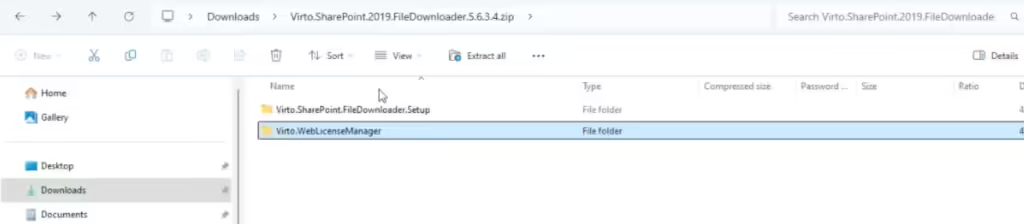
Typically, the License Manager does not require manual installation, as it is installed automatically with the product. However, it may need to be manually updated. To do this, navigate to the Virto.WebLicenseManager folder and follow the installation instructions.
If you have purchased multiple products, each must be activated separately. The activation process is the same for all components. If you have purchased a Virto ONE License, it only needs to be activated once.
If you have any questions about using or updating the License Manager, please contact our support team at support@virtosoftware.com or through this form.