
Contact us
View as Markdown
Ask AI
Open in ChatGPT Open in Claude

Opens a third-party service and shares a pre-filled prompt containing this public page URL and /llms.txt. No VirtoSoftware account or tenant data is included. Provider terms and privacy policies apply. Verify answers against the linked documentation.

OpenAI terms · OpenAI privacy policy · Anthropic terms · Anthropic privacy policy

Tabs

You can create multiple tabs to optimize your SharePoint form view.

Tabs control creating multiple tabs to organize a Virto SharePoint form view

You can add more tabs by clicking “+ Add tab” button and type tab names in the control properties in the right corner. Remove the tab by clicking delete icon on the end of a chosen tab row. Delete all tabs by clicking on red “Remove” link.

Then save changes to display created tabs.

All tabs can contain any other controls, excepting Accordions.
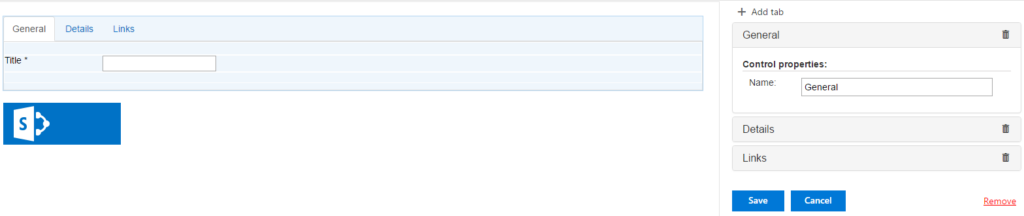
Tab properties panel with the Add tab button and Remove link for managing form tabs

Updated on August 12, 2026