Accordions
An accordion may contain any other controls, including other accordions and tabs.
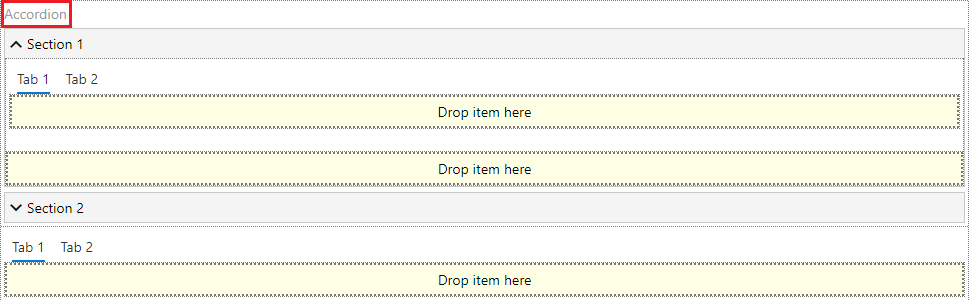
Accordion, tab, and panel have additional field ID. This code is used, when you enhance your forms with build-in JavaScript editor.
To add more accordions to the existing form, click “Add section” and type the name of it.
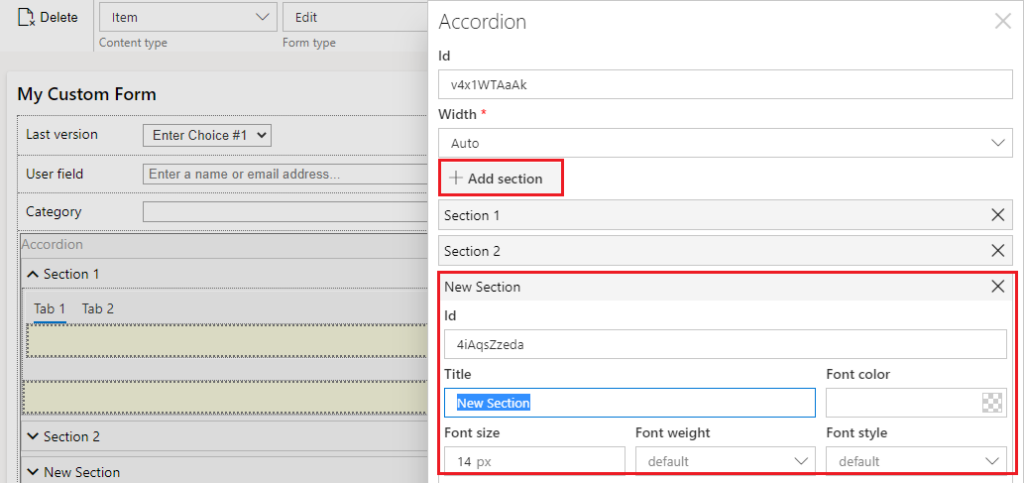
To remove the accordion section, click delete icon of a chosen row.

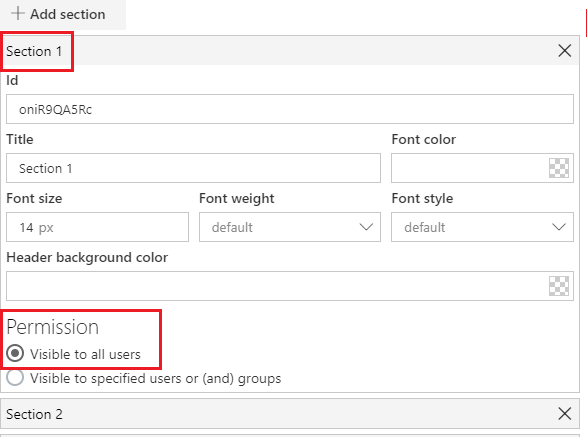
You Cal also define security permissions for the accordion sections.
Note*: The required fields marked with * are always visible for all users.*
Note*: If a tab or accordion section contains the required fields marked with *, this tab or accordion section with all fields is always visible for all users. However, you can set permissions to other sections or tabs of the same element and apply them to hide other fields. For example, section 1 with required field is visible, but section 2 can be hidden.*