# Multiday Settings
Source: [https://docs.virtosoftware.com/docs/calendar-overlay-pro/settings/multiday-settings/](https://docs.virtosoftware.com/docs/calendar-overlay-pro/settings/multiday-settings/)
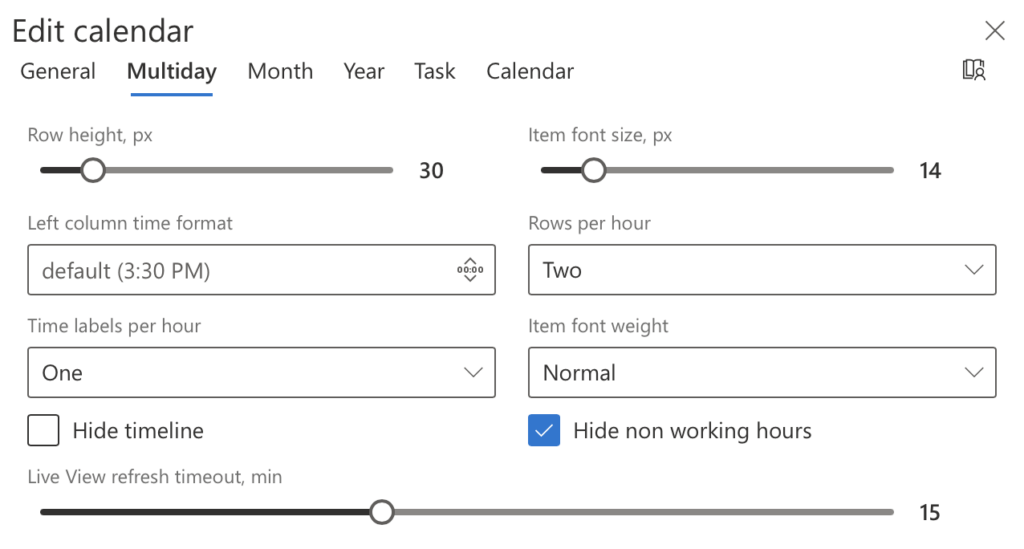
The **"Multiday" tab** allows you to customize settings for views spanning multiple days, offering flexibility and a tailored calendar experience.
## Available Options:
- **Row Height**: Define the height of rows for optimal readability.
- **Number of Rows**: Set the number of rows displayed per hour.
- **Time Labels per Hour**: Adjust the number of time labels shown within an hour.
- **Time Format**: Choose between 12-hour or 24-hour time formats.
- **Font Size and Weight**: Customize the text size and boldness for better clarity.
Multiday view settings
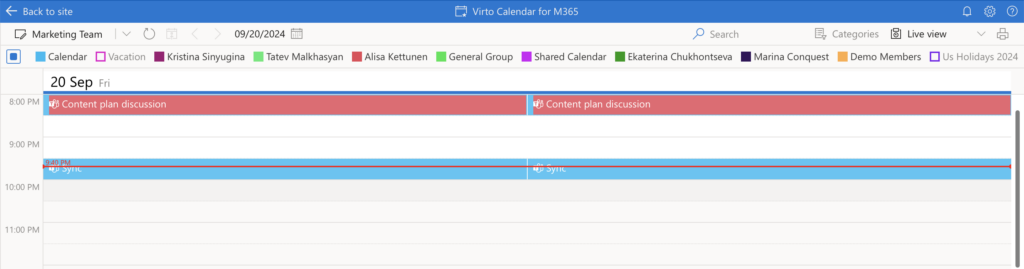
## **Live View** allows you to stay updated with real-time changes in the Day View.
- **Refresh Intervals**:
Select how frequently the Day View refreshes, with options ranging from **5 to 30 minutes**.
- **Display Options**:
- Hide the timeline to remove the current time indicator for a cleaner interface.
- Hide non-working hours to focus on relevant time blocks.
Live view