
Internet Calendars (iCalendar Feed, Google Calendar)
Virto Calendar App supports adding iCalendar feeds to your Virto calendar view.
An iCalendar feed, or .ics feed, is a universal calendar format compatible with most calendar solutions.
Its primary purpose is to facilitate sharing calendar data between different calendars and calendar applications. Virto Calendar App enables adding events from online calendars that support iCal feeds through an iCalendar link.
To incorporate events from an external calendar into your Virto calendar, follow three simple steps:
- Create a new Virto calendar to add the events.
- Navigate to the external calendar—for instance, Google Calendar—and generate a calendar link.
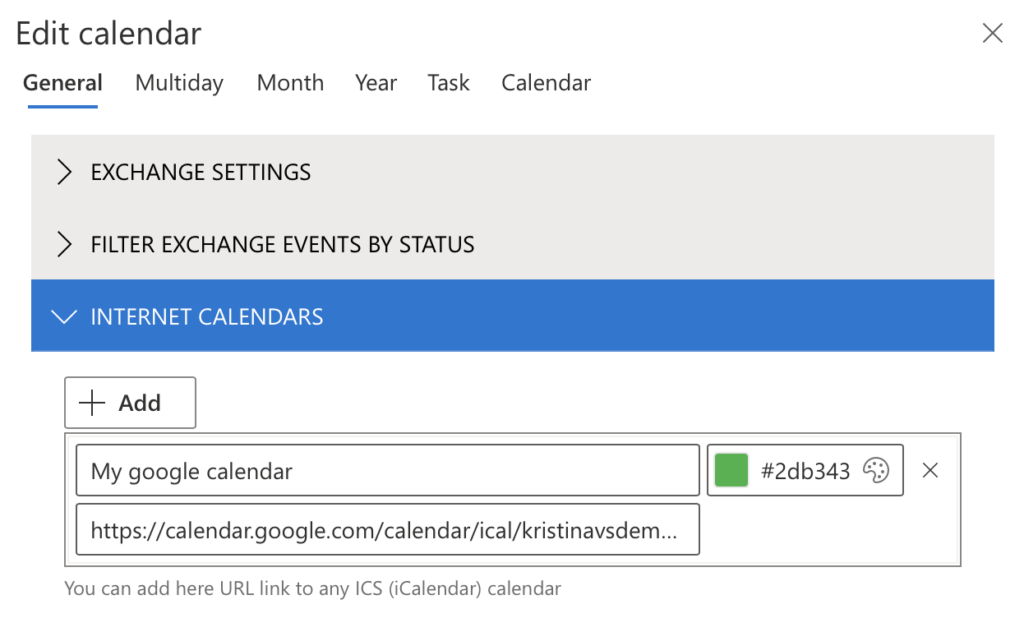
- Copy the link and add it to Virto Calendar App (under “Internet calendars” in the calendar settings).
For the external calendar to display correctly in the Virto calendar, its link should start with https://. Should yours look different, please change it manually.
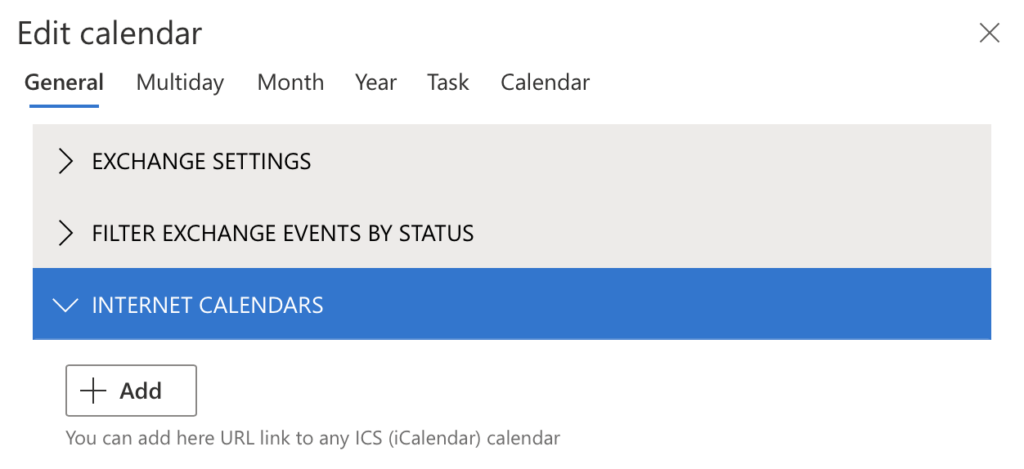
iCalendar feeds are read-only. Users can view the calendar but cannot edit it.
How do you get an iCalendar link in Google Calendar?#
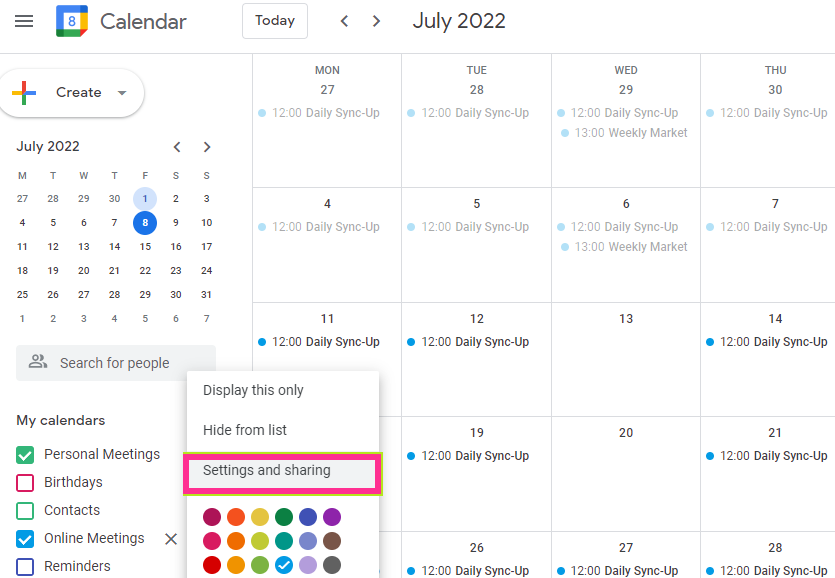
Go to Google Calendar and click the three-dot icon next to the calendar you want to share in the “My Calendars” list. Click “Settings and sharing.”
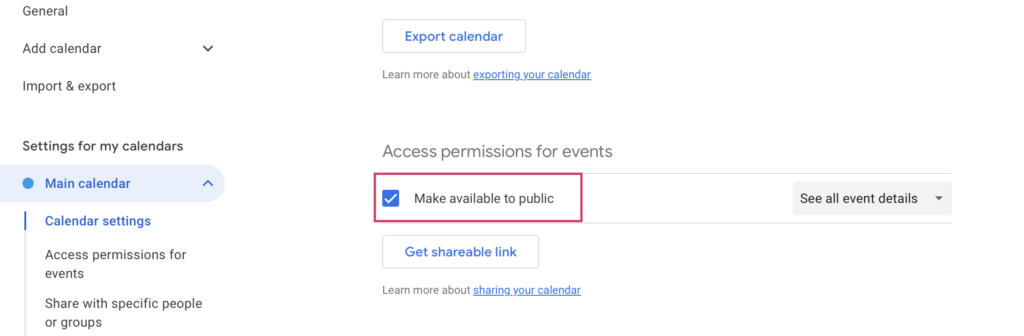
Under “Access permissions and events” select “Make available to public”.
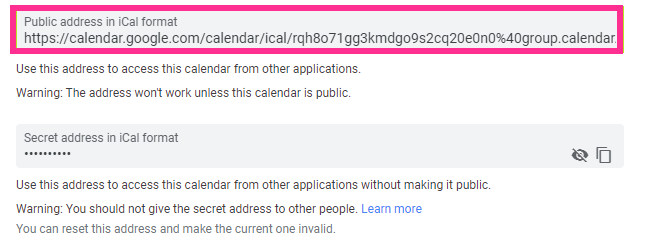
Scroll down to the iCal format links (below the “Integrate calendar” subheading) and copy the generated iCalendar link.
Open the Virto calendar settings and paste the copied link into the “Internet Calendars” block.
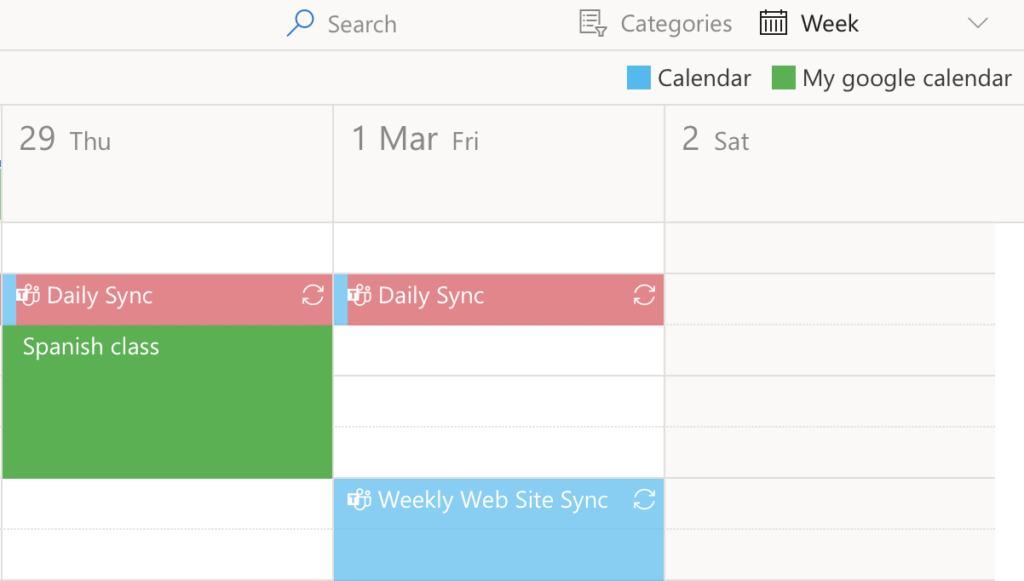
All the events from the Google calendar will now appear in your Virto calendar.
Use this method to add events from any external calendar that supports the iCalendar feed.