# Additional step for Chrome and Edge users
Source: [https://docs.virtosoftware.com/docs/calendar-overlay-pro/administrators-guide-to-installation-and-configuration/step-by-step-installation-instructions/additional-step-for-chrome-and-edge-users/](https://docs.virtosoftware.com/docs/calendar-overlay-pro/administrators-guide-to-installation-and-configuration/step-by-step-installation-instructions/additional-step-for-chrome-and-edge-users/)
For the Virto Calendar app to work correctly in the browser and within SharePoint, you need to either:
1. Allow all cookies in your browser settings, **or**
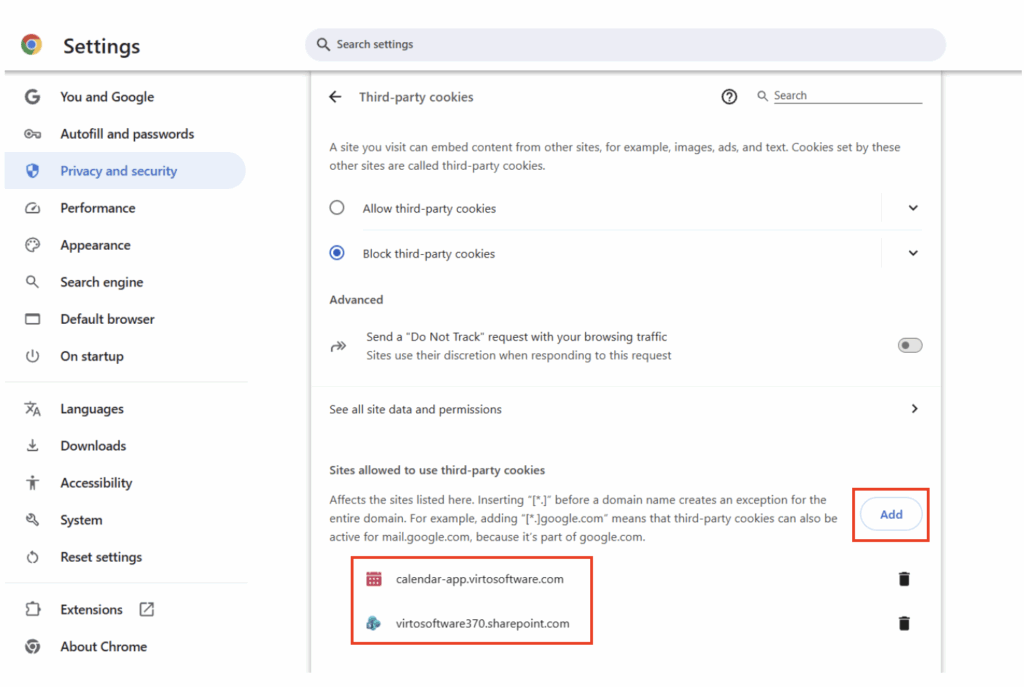
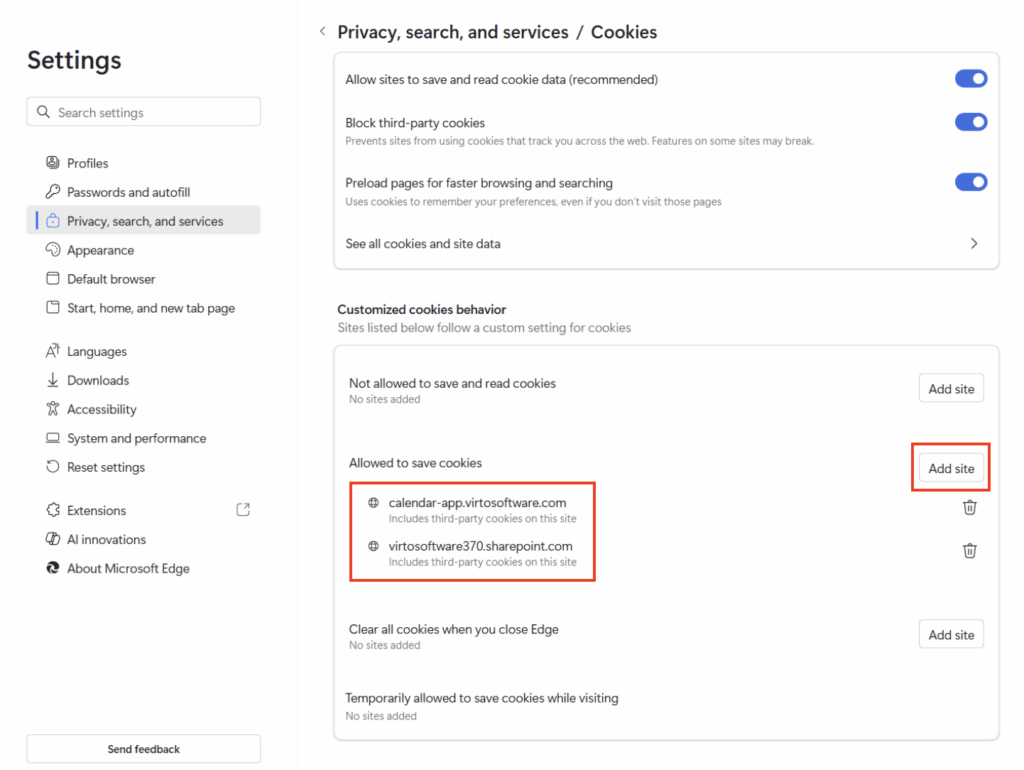
2. Manually add your tenant domain (for example, `yourcompany.sharepoint.com`) and the Virto Calendar app URL [https://calendar-app.virtosoftware.com](https://calendar-app.virtosoftware.com/) to the list of sites allowed to use third-party cookies.
To access cookie settings for allowing all cookies or adding specific sites in the recommended browsers:
**Google Chrome**
Paste `chrome://settings/cookies` directly into your browser's address bar and press Enter. This opens the Cookies and site data page where you can toggle "Allow third-party cookies" or add sites under "Sites allowed to use third-party cookies."
Google Chrome cookies settings
**Microsoft Edge**
Paste `edge://settings/content/cookies` (preferred direct method) or `edge://settings/privacy` into your browser's address bar and press Enter. Navigate to Cookies > Allowed to save cookies, then select "Add" to include your tenant (e.g., yourcompany.sharepoint.com) and [https://calendar-app.virtosoftware.com](https://calendar-app.virtosoftware.com/).
Microsoft Edge cookies settings