
Check In / Check Out
Virto Multiple File Check-In and Check-Out for SharePoint On-Premises enhances document management by allowing users to perform check-in and check-out operations on multiple files simultaneously.
Key features include:
- Streamlined interface for selecting multiple files for check-in or check-out
- Option to add comments during multiple file check-in operations
- Ability to override existing check-outs when necessary
- Integration with SharePoint’s version control system
The Check-In and Check-Out features in SharePoint are used to manage document collaboration and ensure version control when multiple users are working on the same files.
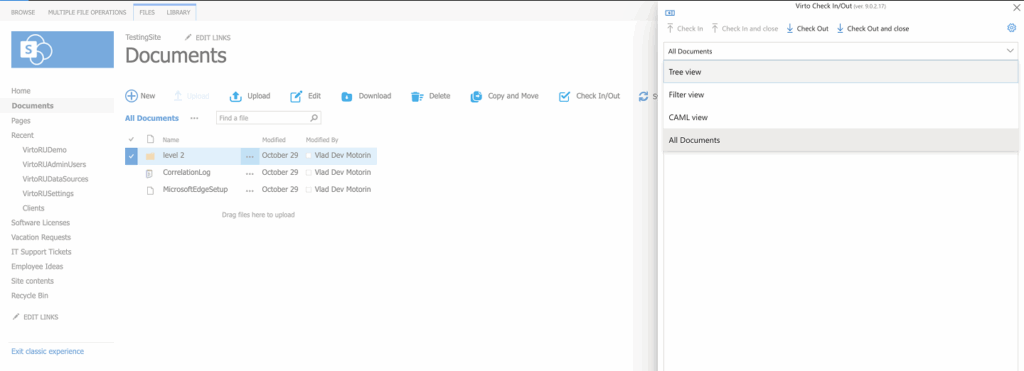
The Check-In and Check-Out feature, when used in the classic SharePoint interface, offers four standard views:
Tree view (sorted by ID)
Filter view (searches only files by file name)
CAML view (choose condition(s) from the dropdown)
All documents view.
Creating a custom view
To create a custom view with conditions in SharePoint, please refer to Microsoft’s instructions.